
CALCULATOR2
- An advanced calculator feature that calculates or converts values such as text, distance, area, and formulas in the drawing, and immediately writes or edits the result as text.

1. Using the Advanced Calculator Demo Video
Section titled “1. Using the Advanced Calculator Demo Video”1) Type “CAL2” or “CALCULATOR2” in the Command Input Window.
2) The calculator dialog box shown below appears.
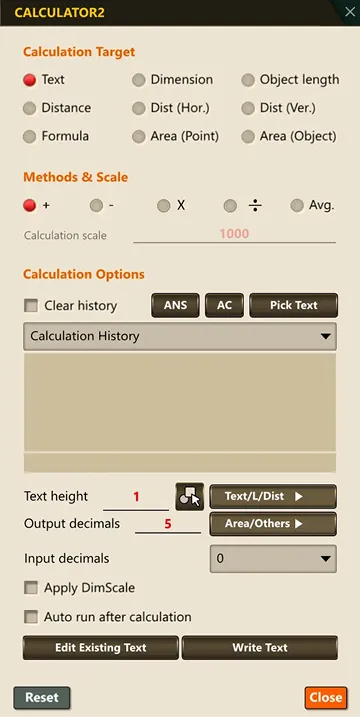
3) In the dialog box, set the calculation target, calculation method, decimal places, unit conversion options, and so on.
4) When you are finished, click Close to exit.