
TEXTTOPOINT
- A command that automatically recognizes the coordinate values of text objects in the drawing and creates a point or symbol at the corresponding location.

1. Creating Coordinates Demo Video
Section titled “1. Creating Coordinates Demo Video”1) Type “TEXTTOPOINT” in the Command Input Window.
2) In the dialog box, set the required items.
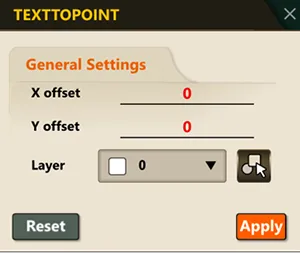
3) The command automatically analyzes the content of each text and recognizes numeric coordinates (X, Y, Z).
4) Based on the recognized coordinate values, a point object is created at the corresponding location.