
COPYTOLAYER
- A command that copies the selected object to another layer specified by the user.

1. Copying to a Specified Layer Demo Video
Section titled “1. Copying to a Specified Layer Demo Video”1) Type “COPYTOLAYER” in the Command Input Window.
2) Press the ENTER key.
3) Type “S” in the Command Input Window to open the dialog box.
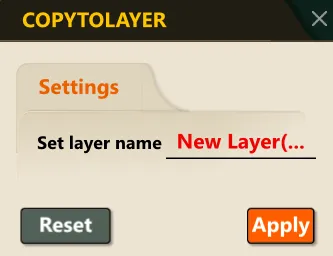
4) In the dialog box, enter the desired layer name.
5) Select the object to copy.
6) Once the copy command is complete, the selected object is copied to the specified layer, and the original object remains unchanged.
