
DIRECTIONREVERSE
- A command that reverses the direction of a polyline.
- Objects whose direction can be reversed are lines, polylines, and arcs.
- The object’s start point and end point are swapped.

1. Reversing the Direction of Line, Polyline, and Arc Objects Demo Video
Section titled “1. Reversing the Direction of Line, Polyline, and Arc Objects Demo Video”1) Run the “DIRECTIONREVERSE” command.
2) Select the object (line, polyline, or arc) in the drawing whose direction you want to reverse.
3) Select the reversed object to verify the change in the Properties window.
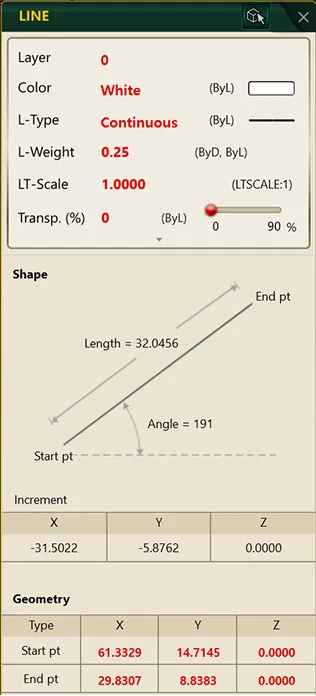 (Before Direction Reversal)
 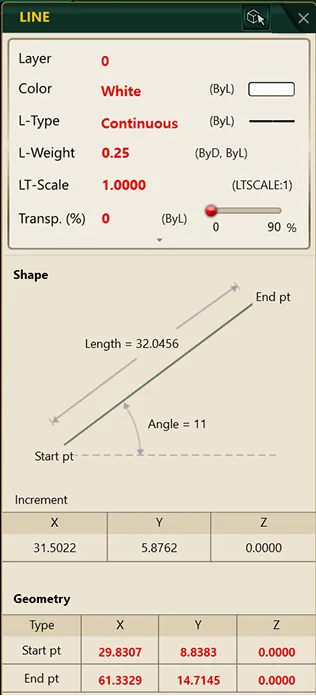 (After Direction Reversal)