
DELETEDUPLICATEENTITIES
- Automatically finds duplicate objects in the drawing and deletes them or consolidates them into one.

1. Deleting Duplicate Objects Demo Video
Section titled “1. Deleting Duplicate Objects Demo Video”1) Run the “DELETEDUPLICATEENTITIES” command.
2) The Delete Duplicates options dialog box appears.
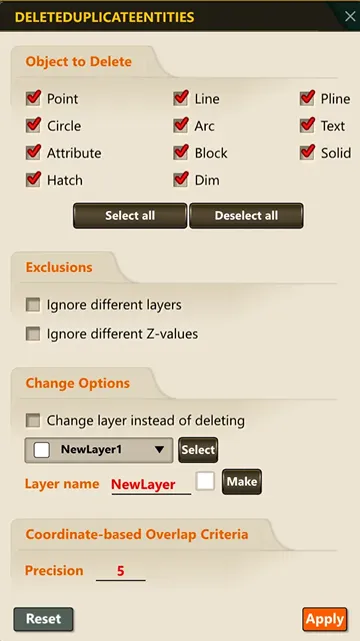
3) Set the desired options, then click OK.
4) Select the objects to check for duplicates.
5) Press ENTER or the Space bar to complete the selection.
6) Duplicate elements are removed from the selected objects.