
FIND
- A function that searches for a specific text string in the drawing and, if needed, replaces it with another string.

1. Finding and Replacing Text Demo Video
Section titled “1. Finding and Replacing Text Demo Video”1) Run the “FIND” command in the Command Input Window.
2) The Find and Replace dialog box appears.
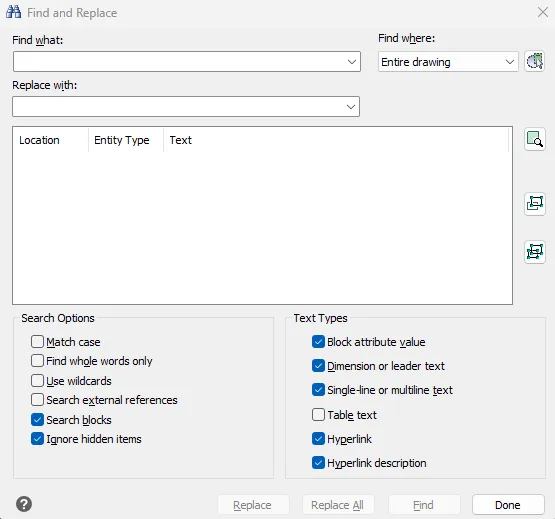
3) Configure the options.
- Enter the text string to find
- Enter the replacement text string (optional)
- Search scope: Can be set to the entire current drawing, a selection, specific object types, etc.
- Search options: Case sensitivity, whole word match, etc.
4) Click the Find button to display the matching items.