
OFFSETGAPTYPE
- Changes how corners between objects are handled when offsetting (OFFSET) a polyline.

1. How to Use Demo Video
Section titled “1. How to Use Demo Video”1) Run the “OFFSETGAPTYPE” command in the Command Input Window.
2) Enter the desired value (0 - Default, 1 - Fillet, 2 - Chamfer)
3) Press ENTER to change the OFFSETGAPTYPE variable value.
4) Afterward, when you run the OFFSET command, the changed corner-handling method is applied.
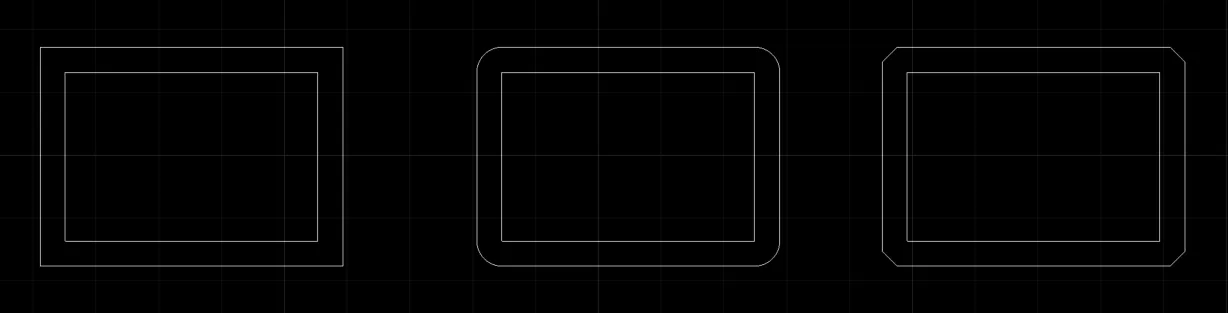
0 - Default 1 - Fillet 2 - Chamfer