
MARKELEVATION
- Measures the EL (elevation) from a selected point to a specified point and creates a leader line indicating it.
1. Displaying EL Demo Video
Section titled “1. Displaying EL Demo Video”1) Type “MARKELEVATION” in the Command Input Window.

2) Select ‘Settings(S)’ in the Command Input Window, configure the E.L display options in the popup window, and click ‘OK’.
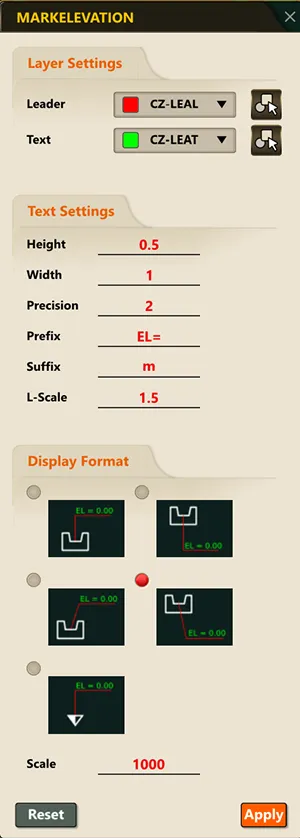
3) Select ‘EnterE.L(E)’ in the Command Input Window, enter the ‘Base E.L’ value, and press the Enter key.

4) Click the reference point (the point to use as the base) in the drawing, then click the point where you want to display the E.L relative to the reference point.


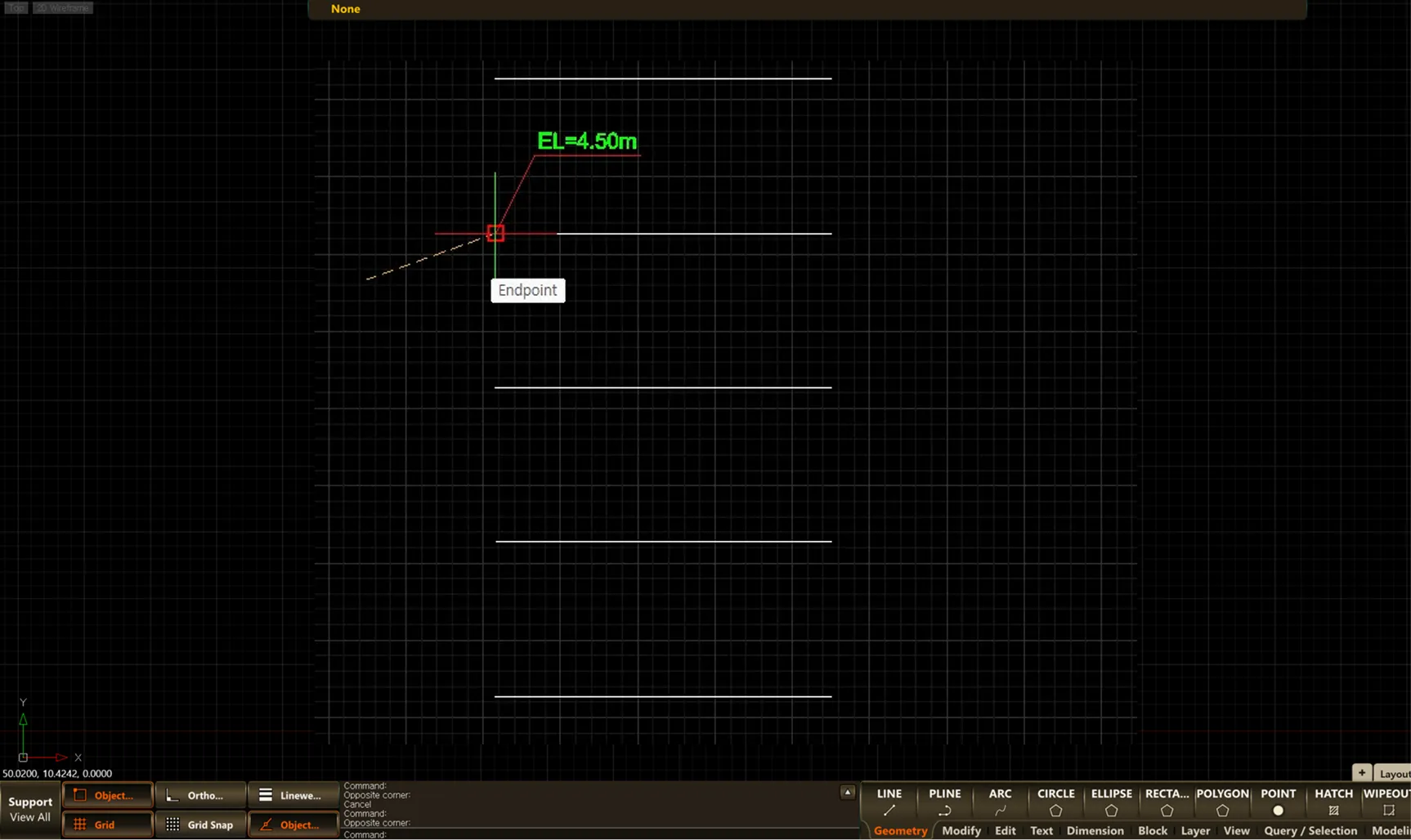
5) Press the Enter key or the ESC key to end the command.