
INCREMENTMODIFY
- A command that sequentially increases the Z value of a selected object in the drawing by a specified start value and increment.
1. Sequentially Increase Z Values Demo Video
Section titled “1. Sequentially Increase Z Values Demo Video”1) Type “INCREMENTMODIFY” in the Command Input Window.
2) Set the required options in the settings window.
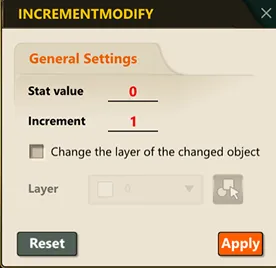
3) Select the objects in the drawing whose Z value you want to change.
4) Press the ENTER key, and the Z value of the selected objects increases sequentially.
Note: Each time you repeat the process “Select Object \u2192 ENTER \u2192 Select Object Again \u2192 ENTER,” the Z value increases cumulatively.