
EXPORTCTE
- A function that extracts the coordinates of objects in the drawing and exports them to an Excel file, or displays the coordinate information as text in the drawing.

1. Exporting Coordinates Demo Video
Section titled “1. Exporting Coordinates Demo Video”1) Type “EXPORTCTE” in the Command Input Window.
2) Excel launches automatically; select the cell location where the coordinates will be entered.
3) Configure the required options in the settings window that appears.
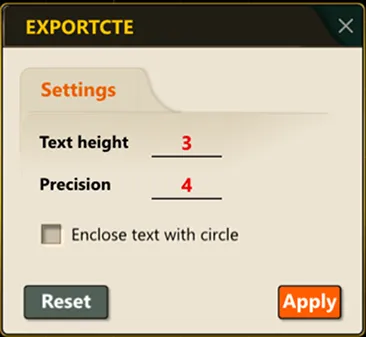
4) Click the points in the drawing from which to extract coordinates, in order.
5) Press ENTER when the selection is complete.
6) The selected coordinates are automatically exported to an Excel file (.xls or .xlsx).
