TINCREMENT
- Automatically increments text sequentially, allowing you to quickly create serial numbers, drawing numbers, part numbers, coordinate point numbers, and more.

1. Automatically Incrementing Numbers Demo Video
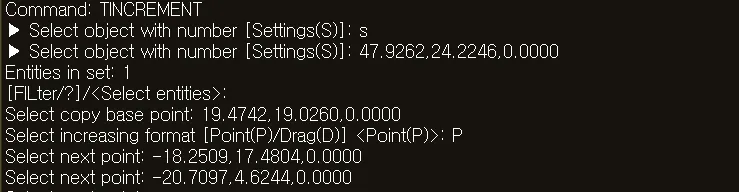
Section titled “1. Automatically Incrementing Numbers Demo Video”1) Type “TINCREMENT” in the Command Input Window.
2) Type “S” in the Command Input Window to open the settings dialog box.
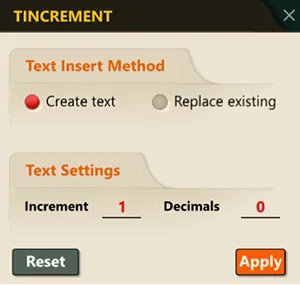
3) In the dialog box, set the required options.
4) Select the object that contains a number.
In the Command Input Window or dialog box, set the following items.
5) Select the copy base point.
6) Click the location on screen to insert the text.
7) Each time you click, the number automatically increments and new text is created.
8) Press the ENTER key to end the command.