
MULTIINSERTDWG
- Loads multiple DWG drawings at once and automatically arranges them as blocks in the drawing space at a fixed spacing.

1. Batch-Inserting Multiple Drawings Demo Video
Section titled “1. Batch-Inserting Multiple Drawings Demo Video”1) Type “MULTIINSERTDWG” in the Command Input Window.
2) Configure the necessary options in the dialog box.
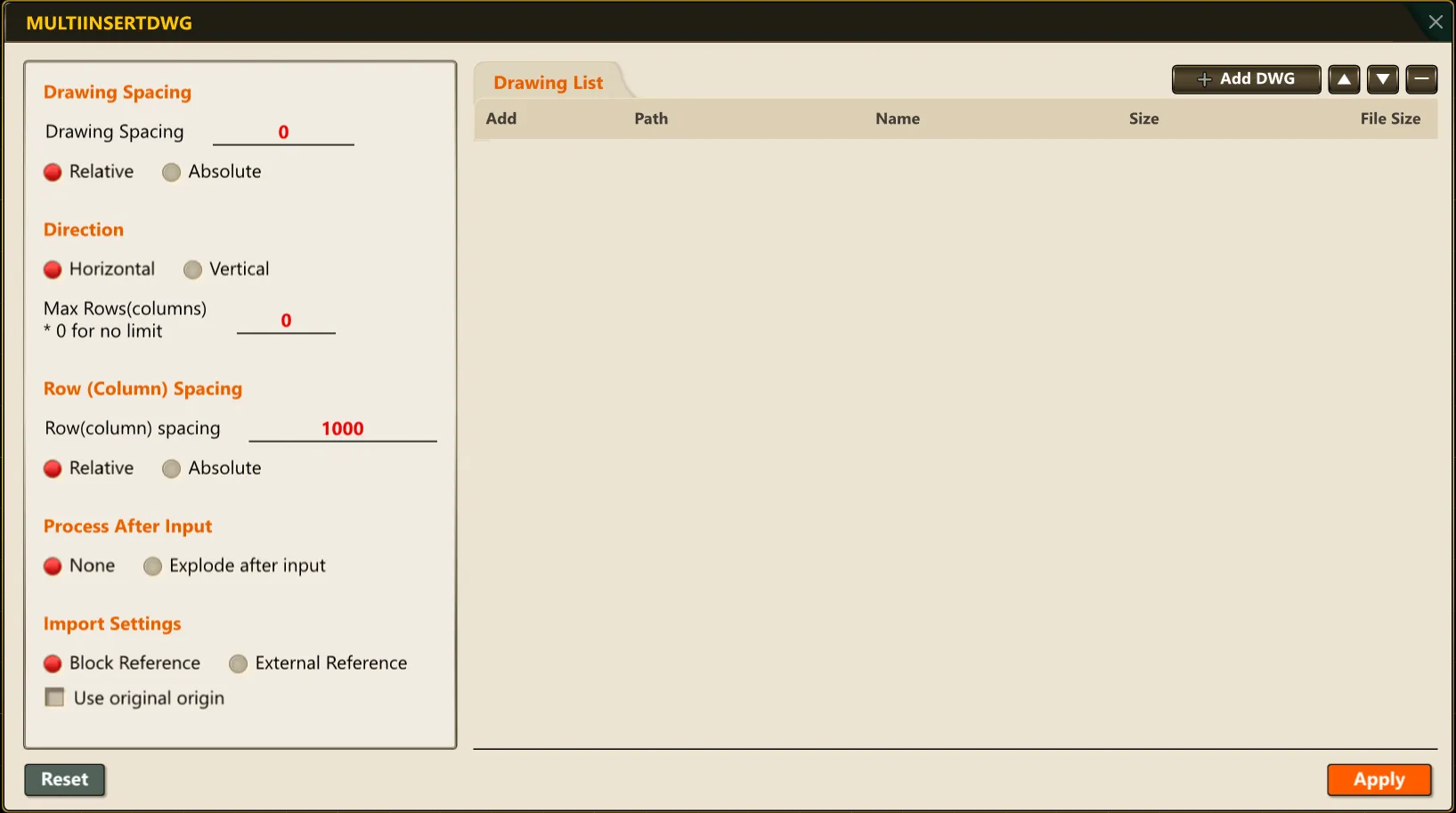
3) The selected DWG drawings are automatically arranged as blocks according to the specified direction and spacing.