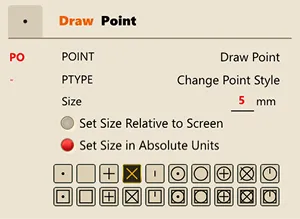
PTYPE
- Changes the point style.
- Running the command loads the Draw Settings screen.
1. Changing the Point Style Demo Video
Section titled “1. Changing the Point Style Demo Video”1) Open the full command list.
2) Select the Shape category.
3) You can change the point style in the “Point Drawing” section.