GROUP
- A function that lets you group multiple objects together and manage them as a single group.
- Unlike a block, a group does not create a definition file — it is simply a concept for grouping objects together to make selection and editing easier.

1. Creating an Object Group Demo Video
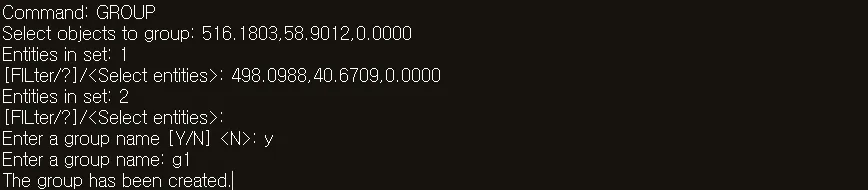
Section titled “1. Creating an Object Group Demo Video”1) Run the “GROUP” command in the Command Input Window.
2) Select the objects to group.
3) Specify a name to identify the group.
4) Press ENTER or the SPACE BAR.
5) The selected objects are grouped into a single group.