
FIELD
- A function that inserts dynamically displayed text (a field) by retrieving values such as drawing properties, object properties, and system variables.

1. Creating a Field Demo Video
Section titled “1. Creating a Field Demo Video”1) Run the “FIELD” command.
2) Configure the required items in the Field dialog box that appears.
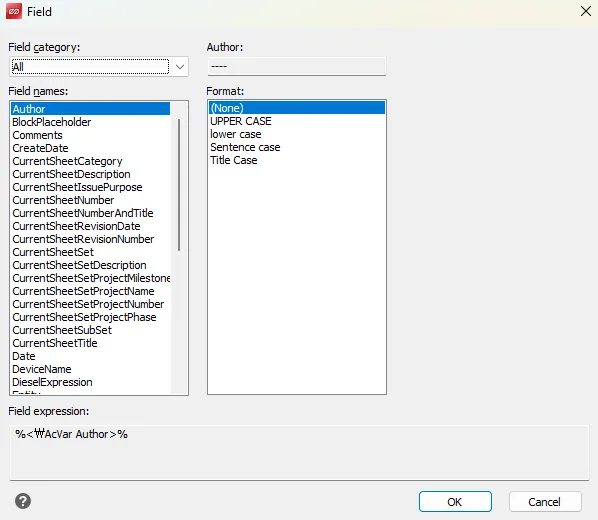
- Field category: Select from Object, Drawing, Date/Time, Plot, User-defined, etc.
- Field name: Specify the detailed item within the selected category (e.g., author, drawing name, object length, etc.)
- Format: Specify the display format (decimal places, units, text format, etc.)
3) Click OK to insert the field into the drawing as MTEXT.
