
TAPER
- A command that automatically creates a road taper (transition section).

1. Creating a Road Taper Demo Video
Section titled “1. Creating a Road Taper Demo Video”1) Type “TAPER” in the Command Input Window.
2) In the settings window, select the required options.
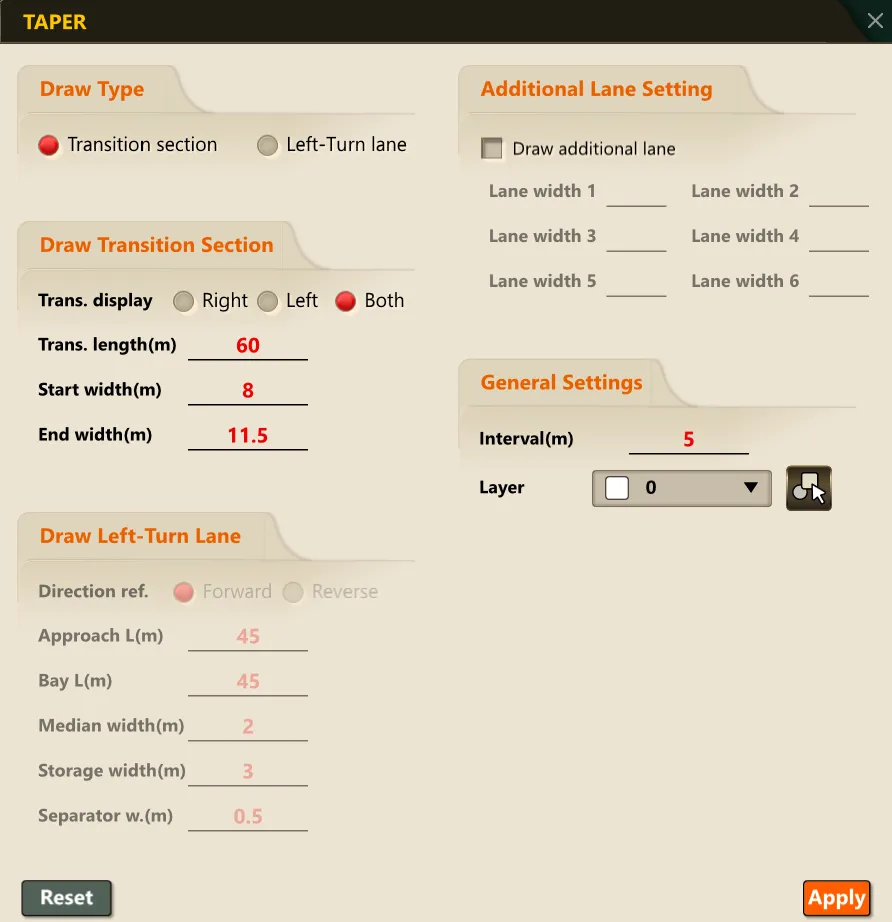
3) Select the reference lane (Line or Polyline).
4) Following the Command Input Window prompts, enter the following items in order.
- Alignment direction (Y/N)
- Specify the taper start point
5) Press the ENTER key to create the taper line.