
SEQTEDIT
- Lets you edit multiple text objects consecutively.

1. Editing Text Consecutively Demo Video
Section titled “1. Editing Text Consecutively Demo Video”1) Run the “SEQTEDIT” command.
2) In the SEQTEDIT dialog box, select the desired options.
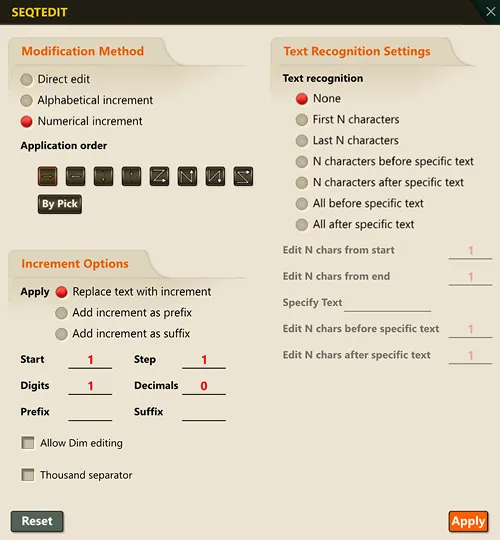
3) Select the multiple text objects to edit.
4) The selected text objects are activated one at a time, allowing you to edit their content directly.
- After finishing the edit for each text object, press the ENTER key to move to the next text object.
5) Once all selected text objects have been edited, press the ENTER key to end the command.
