Create and manage blocks/attribute blocks/External Reference(images) comprehensively in the drawing
How to use
- Method 1
- Command Input Window > Command : BLOCK
- Method 2
-
Command
View All > Block >
 Create Block > Block Manager
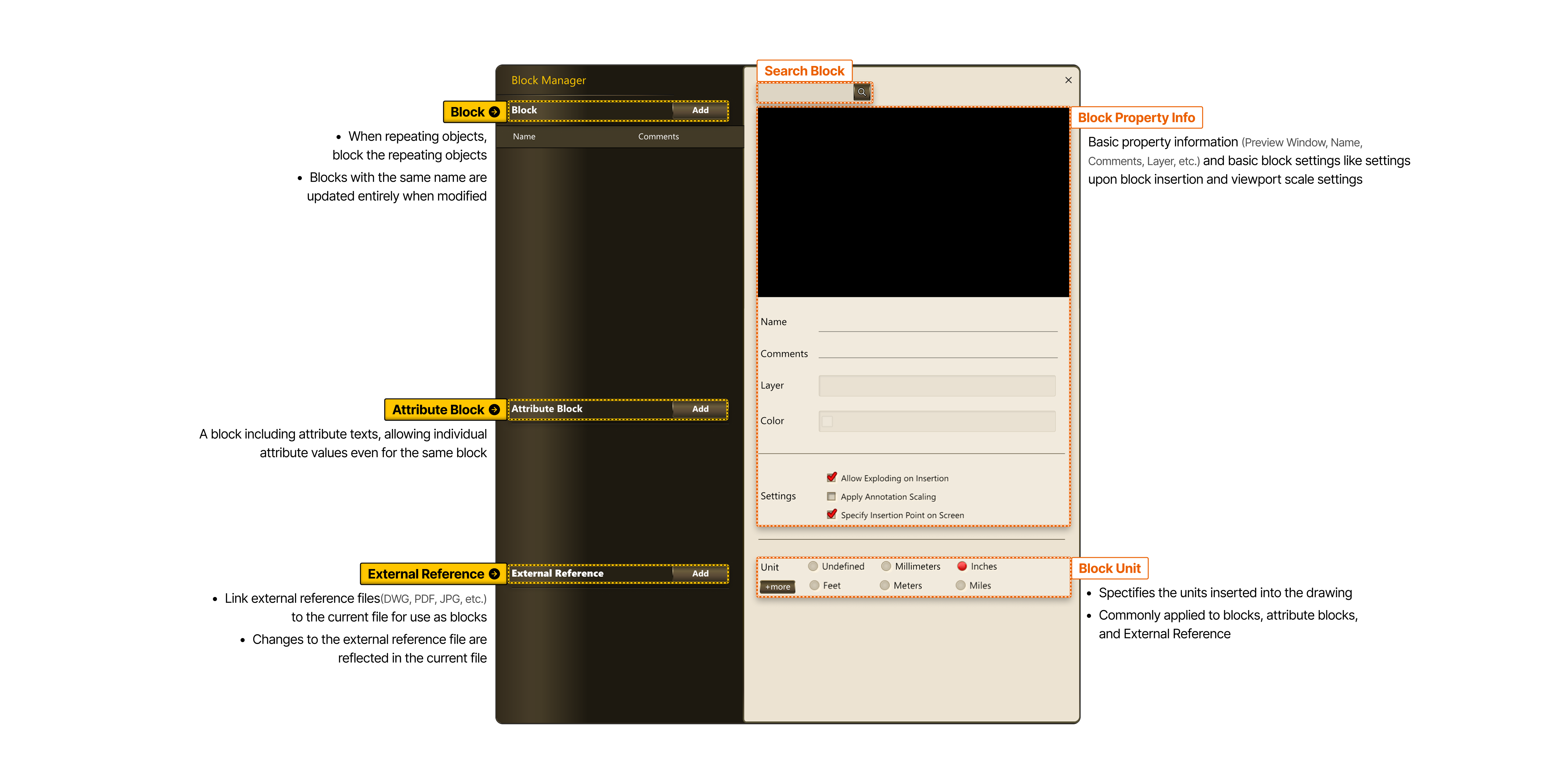
- Block When repeating objects, block the repeating objects Blocks with the same name are updated entirely when modified
- Attribute Block A block including attribute texts, allowing individual attribute values even for the same block
- External Reference Link external reference files (DWG, PDF, JPG, etc.) to the current file for use as blocks Changes to the external reference file are reflected in the current file
-
- Search Block
- Block Property Info
- Basic property information (preview window, Block Name, Comments, Layer, etc.) and basic block settings like settings upon block insertion and viewport scale settings
- Block Unit
- Designates the units inserted into the drawing. Commonly applied to blocks, attribute blocks, and External Reference