DISTANCEMARK
- Repeats a Distance Mark at regular intervals within the drawing.

1. Displaying Distance Marks Demo Video
Section titled “1. Displaying Distance Marks Demo Video”1) Type “DISTANCEMARK” in the Command Input Window.
2) Specify the desired options in the settings window.
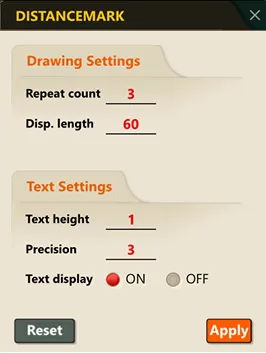
3) After configuring the settings, click the OK button.
4) Select the object and click the start point.
5) A distance line (Line) and a distance value text (Text) are automatically generated for the specified number of repetitions.