ALIGN
- This function aligns a selected object to another object or point by performing move, rotate, and scale operations all at once.

1. Aligning Objects Demo Video
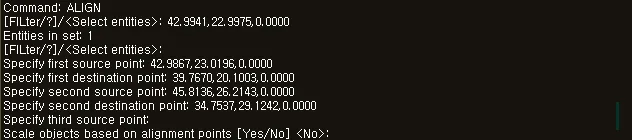
Section titled “1. Aligning Objects Demo Video”1) Run the “ALIGN” command.
2) Select the objects to align (lines, polylines, blocks, hatches, etc.).
3) Press ENTER to complete the selection.
4) Specify the first source point.
5) Specify the first destination point.
6) (Optional) If you specify a second source point and destination point, the alignment also includes rotation.
7) The message “Scale objects? [Yes/No]” appears.
- Yes → If the distance between the source points differs from the distance between the destination points, scaling is applied automatically.
- No → Only the move/rotate operations are applied, without scaling.
8) Press ENTER or the SPACE BAR to end the command.