Efficient screen layout of essential elements & spacious workspace
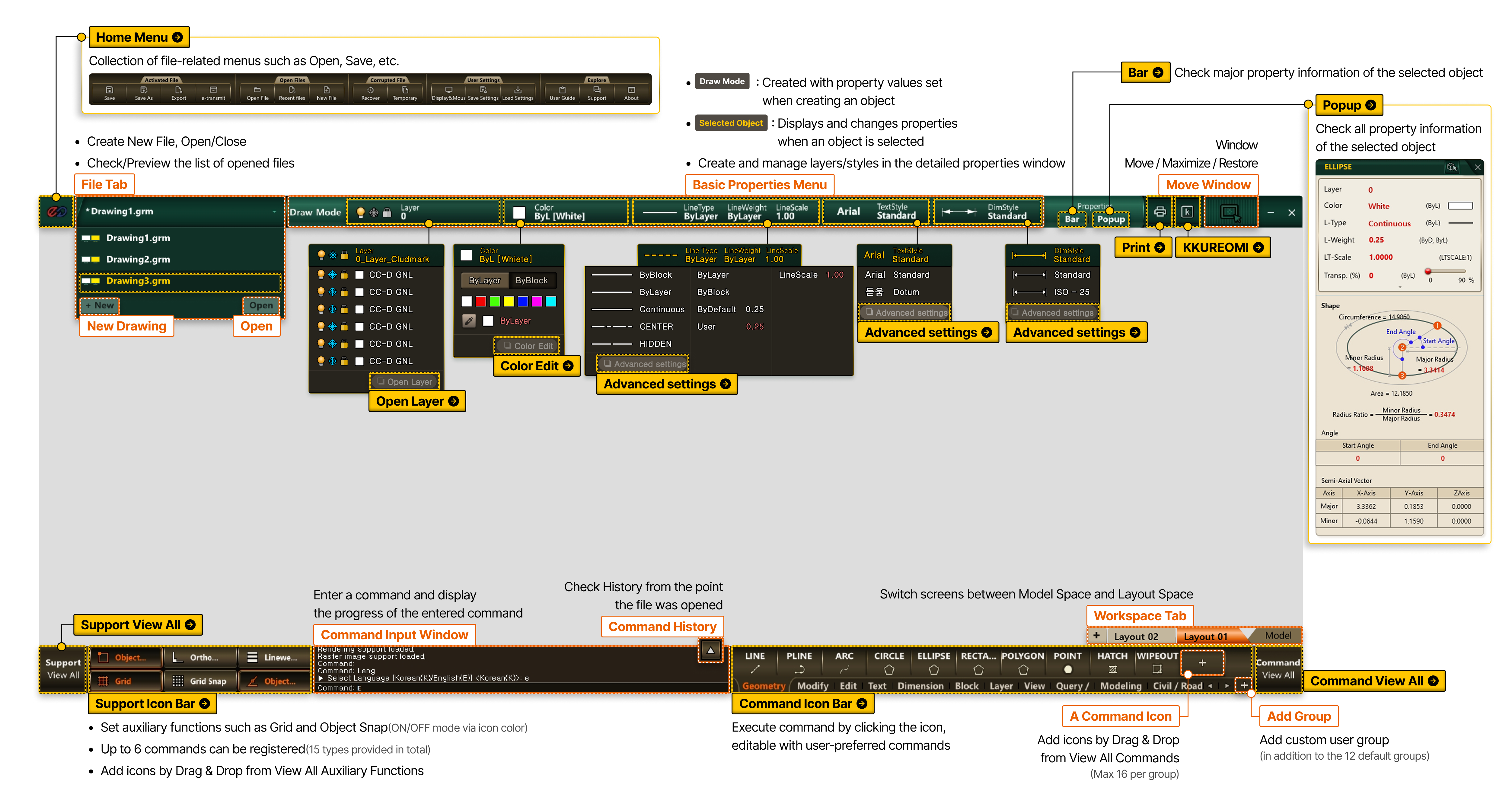
- Home Menu Collection of file-related menus such as Open, Save, etc.
-
- File Tab
- Create New File, Open/Close
- Check/Preview the list of opened files
- New Drawing (New)
- open(Open)
- Property Bar Check major property information of the selected object
- Property Popup Check all property information of the selected object
-
- Basic Properties Menu
- Draw Mode : Created with property values set when creating an object
- Selected Object : Displays and changes properties when an object is selected
- Create and manage layers/styles in the detailed properties window
- Open Layer
- Color Edit
- Line Style Detail
- Text Style Detail
- Dimension Style Detail
- Kkureomi
-
- Move Window
- Move/Zoom In/Zoom Out Window
- Support View All
- Support Icon Bar
- Set auxiliary functions such as Grid and Object Snap (ON/OFF mode via icon color)
- Up to 6 commands can be registered (15 types provided in total)
- Add icons by Drag & Drop from View All Auxiliary Functions
- Command Icon Bar Execute command by clicking the icon, editable with user-preferred commands
-
- Command Input Window
- Enter a command and display the progress of the entered command
- Command History
- Check History from the point the file was opened
- Command View All
-
- Workspace Tab
- Switch screens between Model Space and Layout Space
- Add Command Icon
- Add icons by Drag & Drop from View All Commands (Max 16 per group)
- Add Group
- Add custom user group (in addition to the 12 default groups)