Set work environment by turning desired functions ON/OFF according to work situation
How to use
- Method 1
- Support Icon Bar > Support View All
- Method 2
- Command Icon Bar > Command View All > Support Features
-
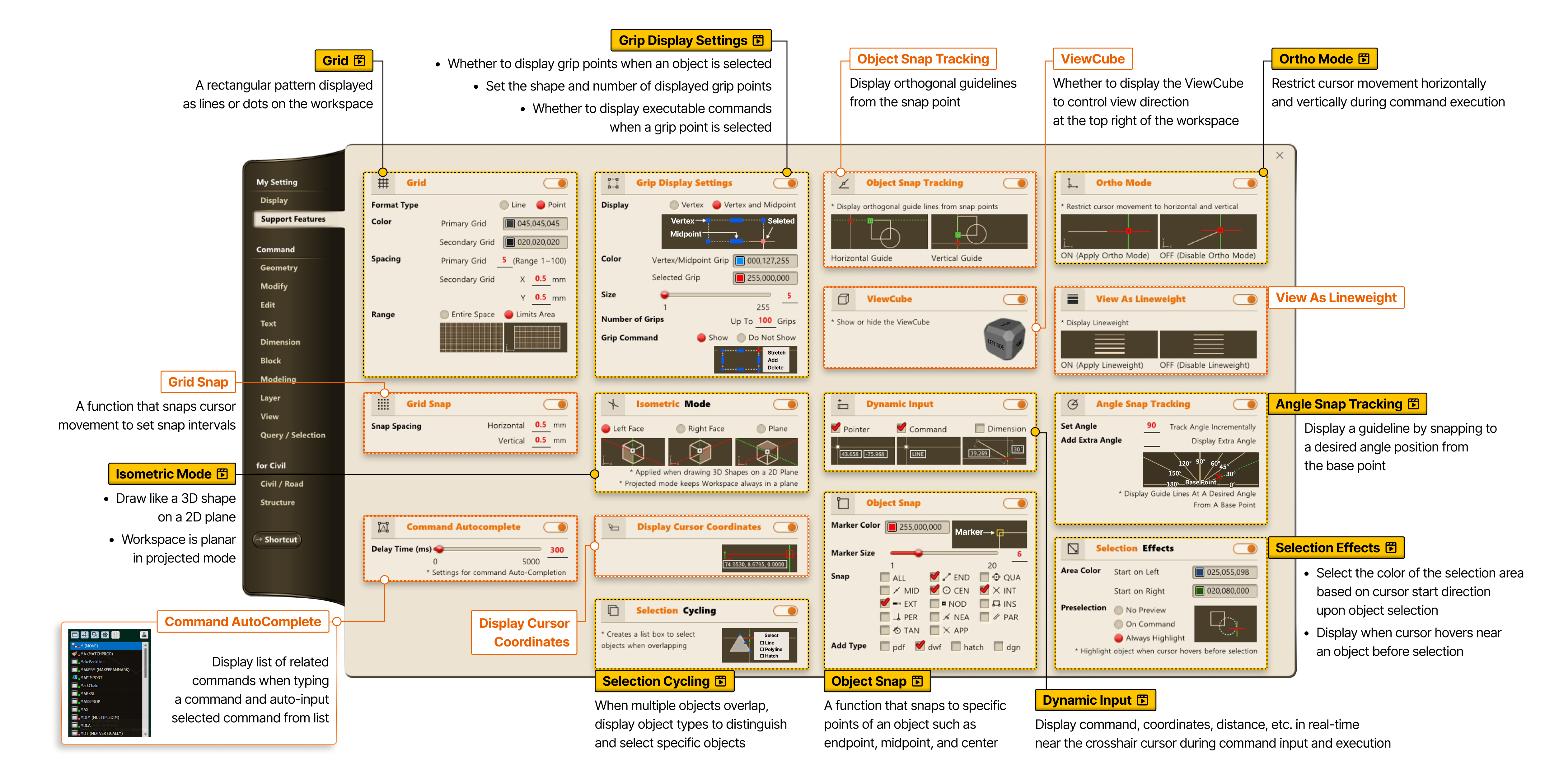
- Object Snap Tracking
- Display orthogonal guidelines from the snap point
- ViewCube
- Whether to display the ViewCube to control view direction at the top right of the workspace
-
- View As Lineweight
- Grid Snap
- A function that snaps cursor movement to set snap intervals
-
- Command AutoComplete
- Display list of related commands when typing a command and auto-input selected command from list
- Display Cursor Coordinates