QSELECT2
- An advanced “Quick Select” tool that lets you specify object type and selection rule (window/crossing/boundary) together in the drawing to quickly select only the objects that match those conditions.

1. Selecting Specific Objects Demo Video
Section titled “1. Selecting Specific Objects Demo Video”1) Type “QSELECT2” in the Command Input Window.
2) Configure the required settings in the dialog box that appears.
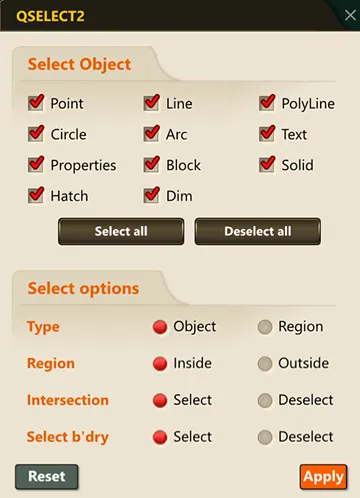
3) When you select objects, only those matching the specified conditions are selected.