Check and modify all property information of the selected object
How to use
- Method 1
- Command Input Window > Command : PROPERTIES
- Method 2
-
Command View All > Query /
Selection >
 Object Properties
Inquire > Properties Paletter
Object Properties
Inquire > Properties Paletter
- Method 3
- Top bar right > Properties
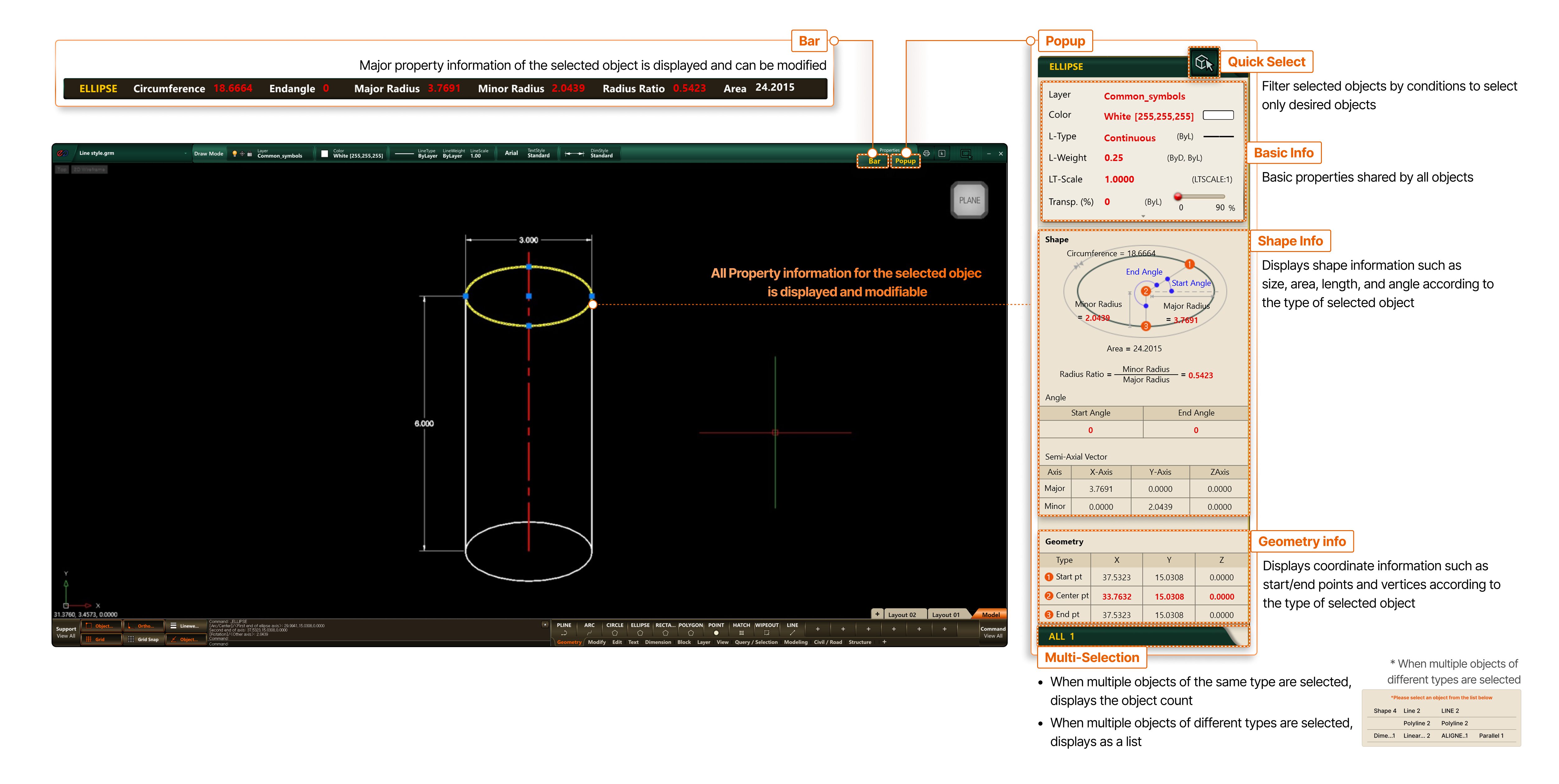
- Bar
- Major property information of the selected object is displayed and can be modified
- Popup
- Quick Select
- Filter selected objects by conditions to select only desired objects
- Basic Info
- Basic properties shared by all objects
- Shape Info
- Displays shape information such as size, area, length, and angle according to the type of selected object
- Geometry
- Displays coordinate information such as start/end points and vertices according to the type of selected object
- Multi-Selection
- When multiple objects of the same type are selected, displays the object count
- When multiple objects of different types are selected, displays as a list * When multiple objects of different types are selected