PURGE
- Cleans up and deletes unnecessary data (unused objects) from the drawing file.

1. Cleaning Up Unnecessary Objects Demo Video
Section titled “1. Cleaning Up Unnecessary Objects Demo Video”1) Type “PURGE” in the Command Input Window.
2) The Purge dialog box appears.
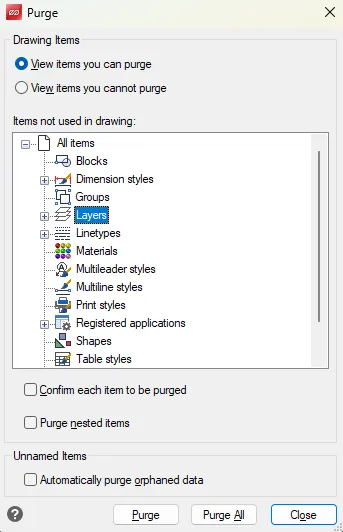
3) Select the items to delete (e.g., Blocks, Layers, Linetypes, Text Styles).
4) Click the Purge button.
5) The selected items are removed from the drawing.