Select objects on the workspace to create and manage blocks
How to use
- Method 1
- Command Input Window > Command : BLOCK
- Method 2
-
Command
View All > Block >
 Create Block > Block Manager
-
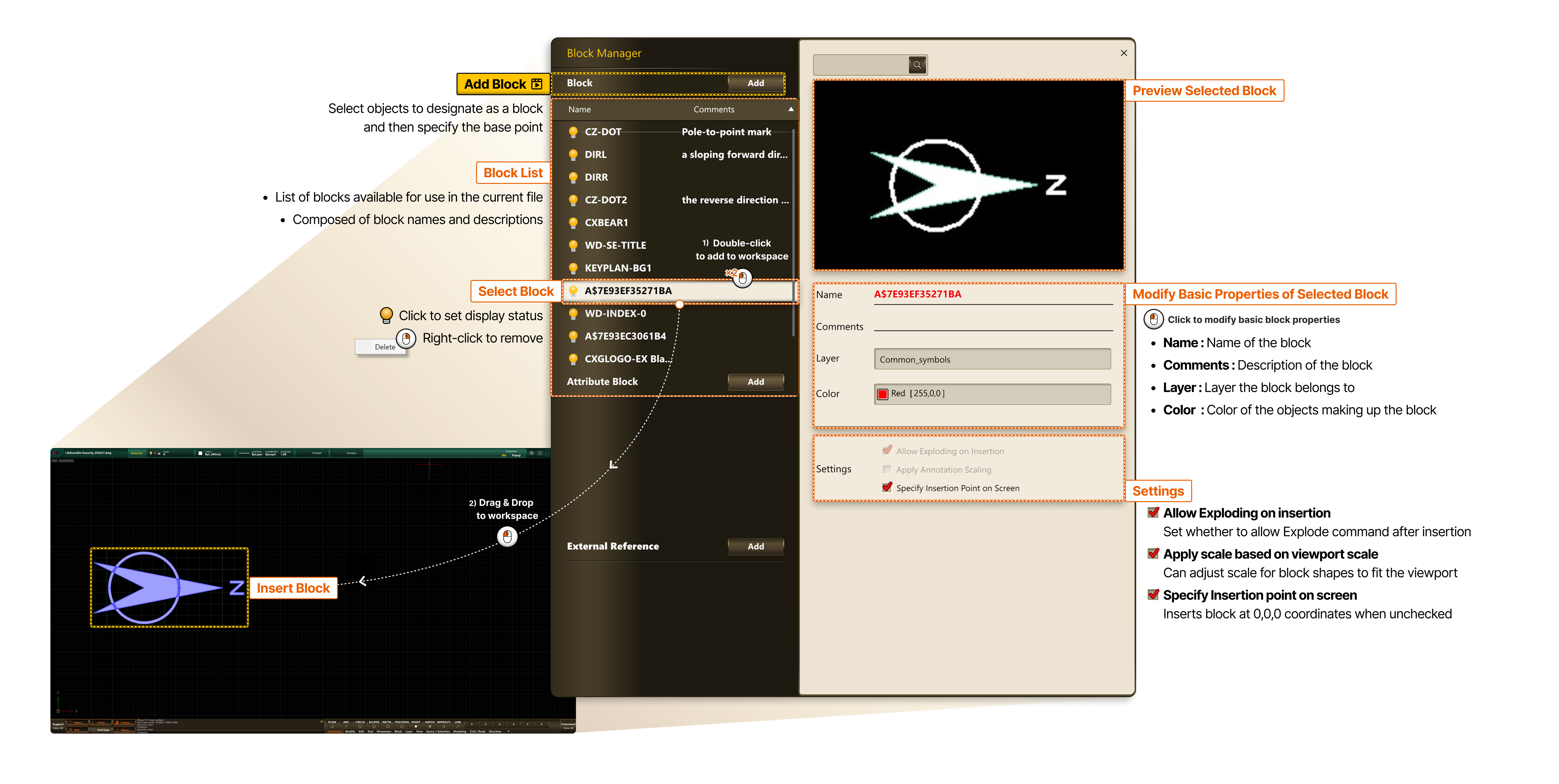
- Block LIST
- List of blocks available for use in the current file
- Composed of block names and descriptions
- Select Block
- Click to set display status
- Right-click to remove
- Preview Selected Block
- Modify Basic Properties of Selected Block
- Click to modify basic block properties
- Name : Name of the block
- Comments : Description of the block
- Layer : Layer the block belongs to
- Color : Color of the objects making up the block
- Settings
- Allow Exploding on insertion : Set whether to allow Explode command after insertion
- Apply Annotation Scaling : Can adjust scale for block shapes to fit the viewport
- Specify Insertion point on screen : Inserts block at 0,0,0 coordinates when unchecked