CROSSWALK
- A command that automatically creates a crosswalk on the drawing.

1. Creating a Crosswalk Demo Video
Section titled “1. Creating a Crosswalk Demo Video”1) Type “CROSSWALK” in the Command Input Window.
2) Set the required options in the settings.
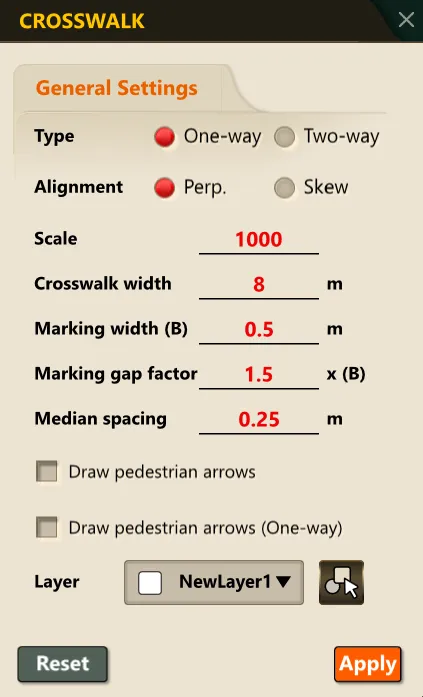
3) Specify the start point of the crosswalk in the drawing.
4) Specify the end point of the crosswalk in the drawing.
5) Press the ENTER key to automatically generate the crosswalk pattern along the specified section.