Set print options for batch printing and preview or print to paper/file
How to use
- Method 1
- Kkureomi > Top Left > Multi Plot
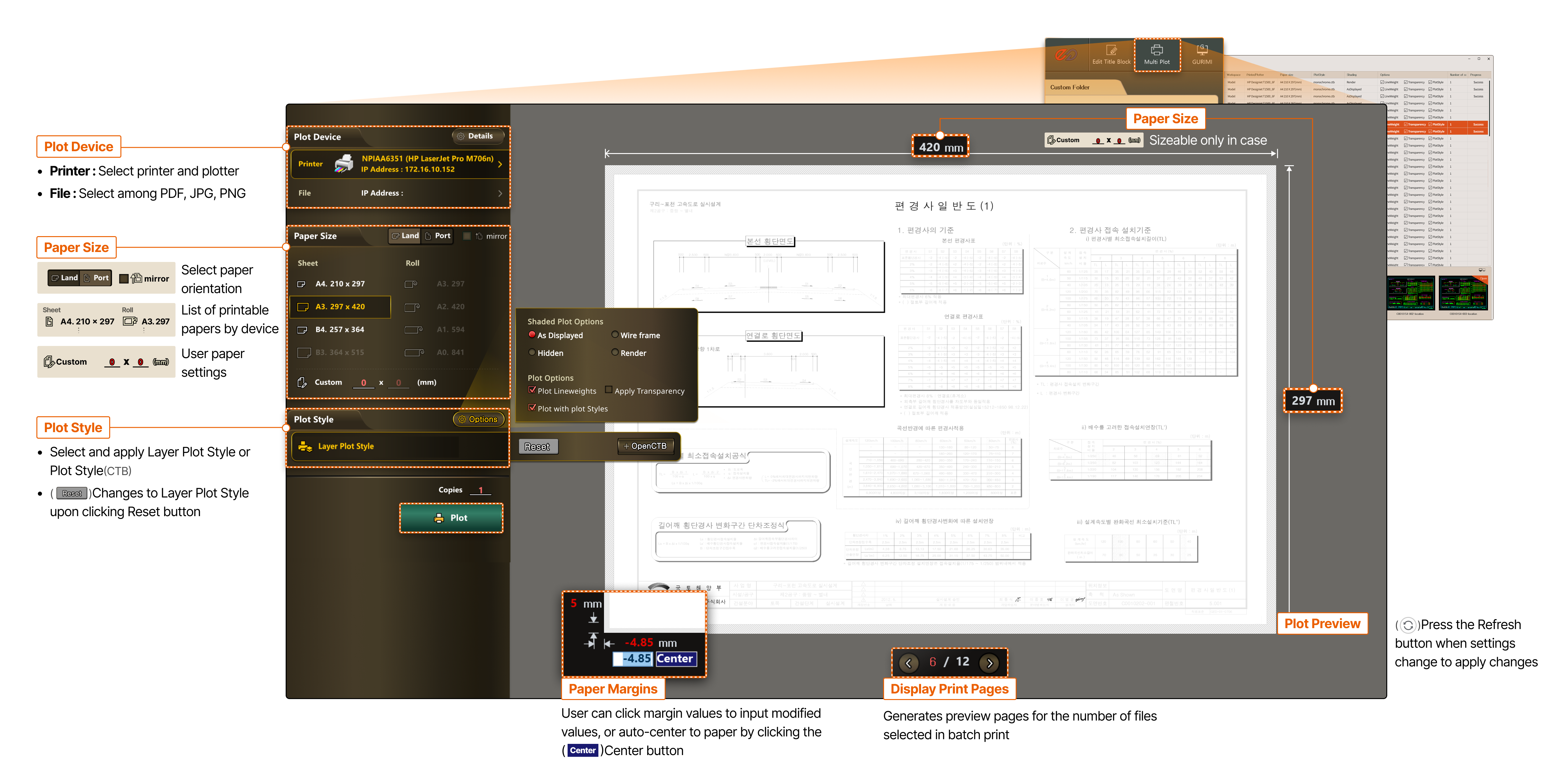
- Plot Device
- Printer : Select printer and plotter
- File : Select among PDF, JPG, PNG
- Paper Size
- Select paper orientation
- List of printable papers by device
- User paper settings
- Plot Style
- Select and apply Layer Plot Style or Plot Style (CTB)
- Changes to Layer Plot Style upon clicking Reset button
- Paper Margins
- User can click margin values to input modified values, or auto-center to paper by clicking the Center button
- Display Print Pages
- Generates preview pages for the number of files selected in batch print
- Paper Size
- Size adjustable only when user paper is 0 x 0(mm)
- Print Preview
- Press the Refresh button when settings change to apply changes