DELFO
- Deletes objects on layers that meet specific conditions in the drawing. The layer itself is not deleted — only the objects belonging to it are removed.

1. Deleting Objects on a Specific Layer Demo Video
Section titled “1. Deleting Objects on a Specific Layer Demo Video”1) Type “DELFO” in the Command Input Window.
2) In the DELFO dialog box, set the conditions for the layer to delete objects from.
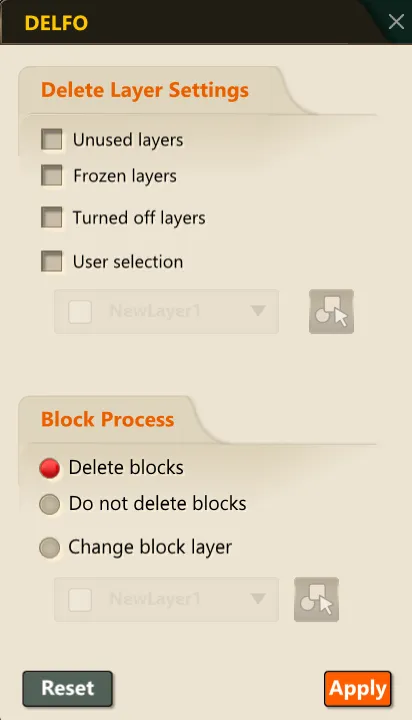
3) After configuring the settings, click the OK button.
4) The layer objects matching the selected conditions are deleted.