PROPERTIES
- Checks and modifies the property information of the selected object.
1. Checking and Modifying Object Properties Demo Video
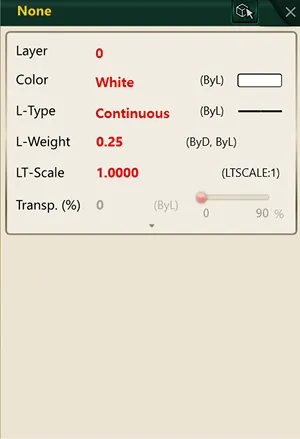
Section titled “1. Checking and Modifying Object Properties Demo Video”1) Run the “PROPERTIES” command.
2) Select the object (line, polyline, circle, rectangle, block, etc.) whose properties you want to check.
3) The Properties window appears on the right side of the screen or as a separate window.
4) Select the item you want to change, then type or select a value.
The change is applied to the object immediately.