Heavy, time-consuming Structure/rebar drawings - easy for beginners with specialized commands
How to use
- Method 1
- Command Icon Bar > Command View All > Structure
-
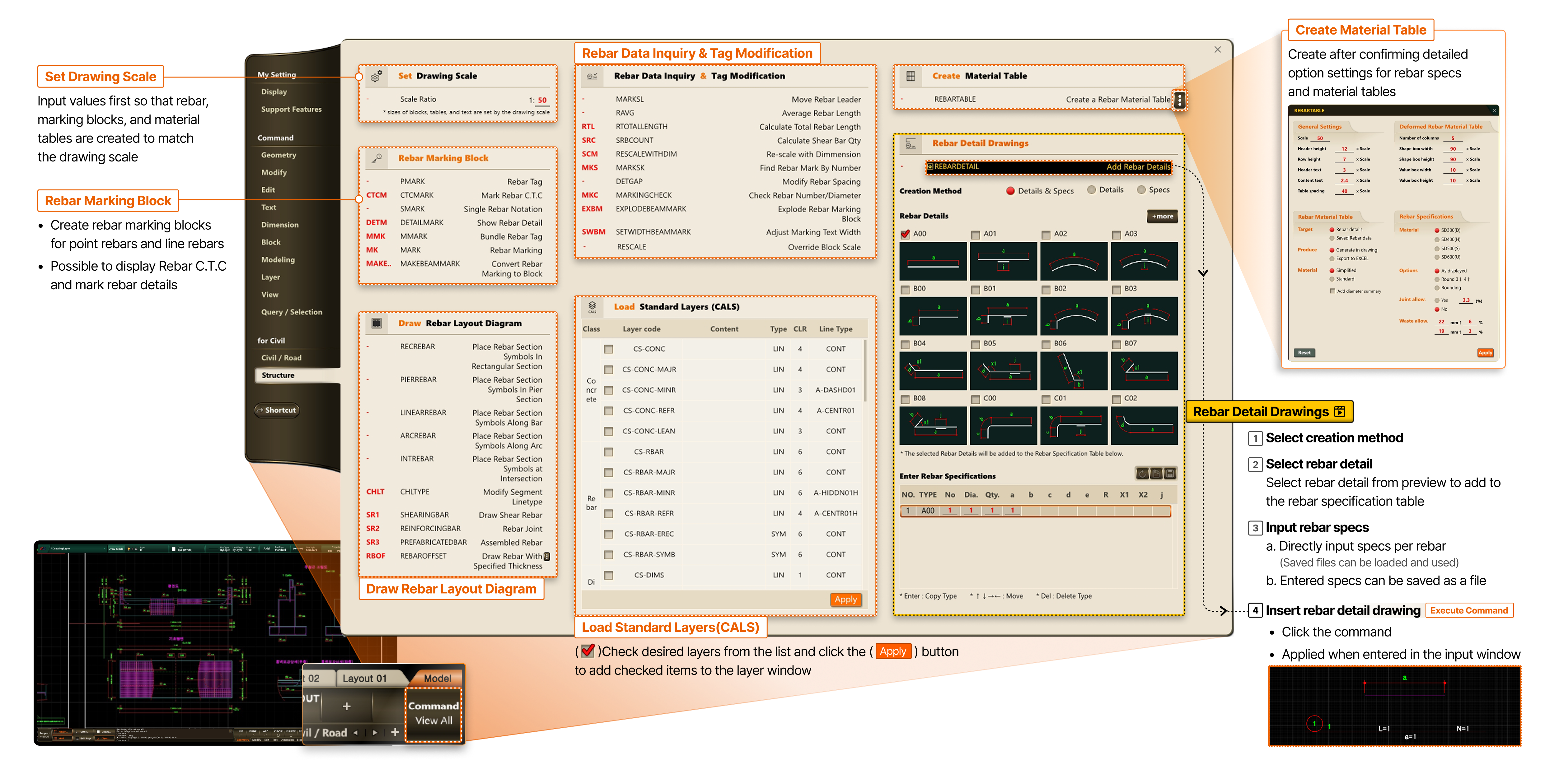
- Set Drawing Scale
- Input values first so that rebar, marking blocks, and material tables are created to match the drawing scale
- Rebar Marking Block
- Create rebar marking blocks for point rebars and line rebars
- Possible to display Rebar C.T.C and mark rebar details
- Draw Rebar Layout Diagram
- Rebar Data Inquiry & Tag Modification
- Load Standard Layers(CALS)
- Check desired layers from the list and click the Apply button to add checked items to the layer window
- Create Material Table
- Create after confirming detailed option settings for rebar specs and material tables