MOLAYPROP
- Batch-changes the layer properties of the selected objects. Even if multiple objects are on different layers, you can unify them to a specified layer’s properties.

1. Changing Layer Properties Demo Video
Section titled “1. Changing Layer Properties Demo Video”1) Type the “MOLAYPROP” command in the Command Input Window.
2) Select the objects whose properties you want to change.
3) In the MOLAYPROP dialog box, specify the layer properties to change.
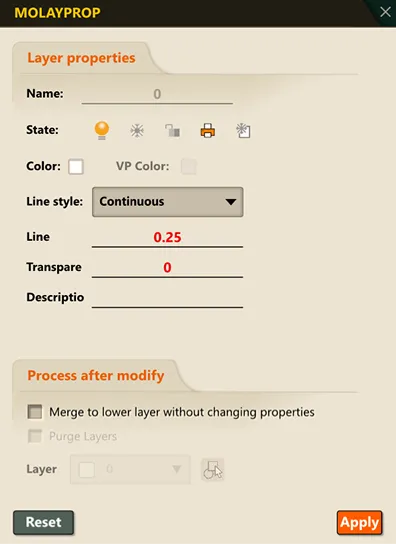
4) Click the OK button, and the layer properties of the selected objects change to the specified values.