Select and modify Drawing Info, and changes are automatically applied to the drawing.
How to use
- Method 1
- Kkureomi > Top Left > Edit Title Block
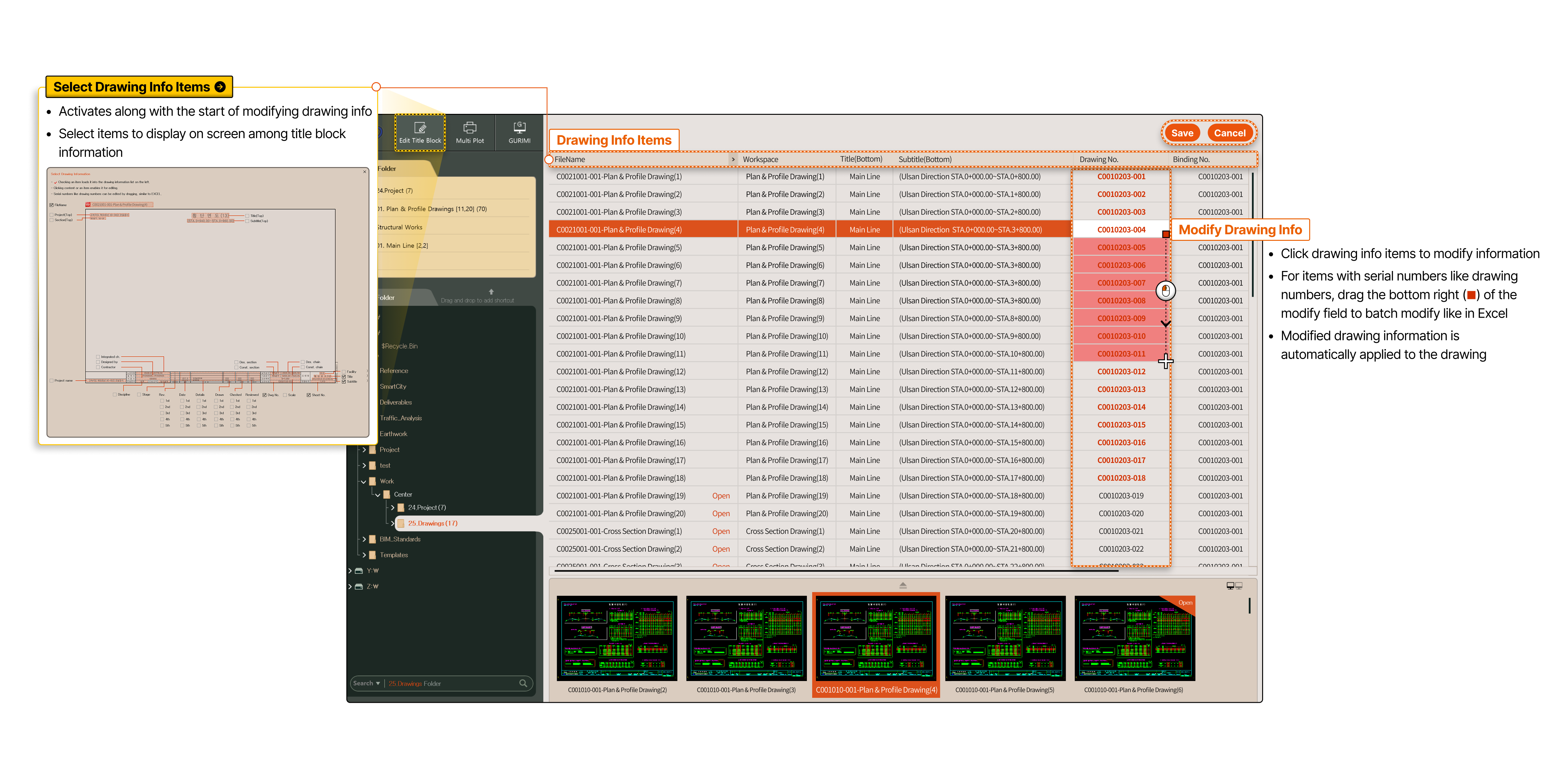
- Select Drawing Info Items Activates along with the start of modifying drawing info. Select items to display on screen among title block information
-
- Drawing Info Items
- Modify Drawing Info
- Click drawing info items to modify information
- For items with serial numbers like drawing numbers, drag the bottom right (■) of the modify field to batch modify like in Excel
- Modified drawing information is automatically applied to the drawing