Configure basic program environment according to the user's work style
How to use
- Method 1
- Command Input Window > Command : OPTIONS
- Method 2
- Home Menu > User Settings > Display&Mouse
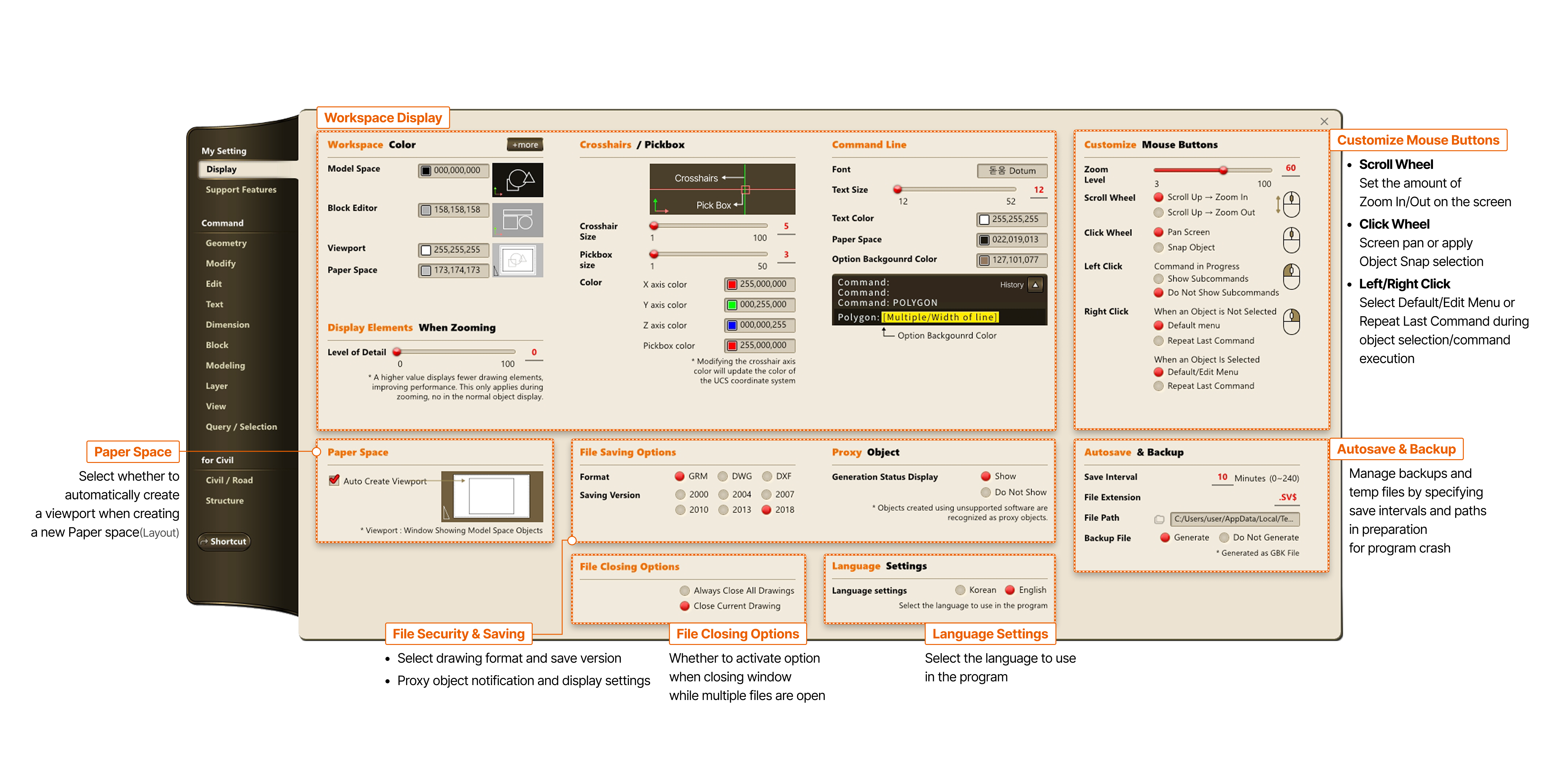
- Workspace Display
- Customize Mouse Buttons
- Scroll Wheel : Set the amount of Zoom In/Out on the screen
- Click Wheel : Screen pan or apply Object Snap selection
- Left/Right Click : Select Default/Edit Menu or Repeat Last Command during object selection/command execution
- Paper Space
- Select whether to automatically create a viewport when creating a new Paper space (Layout)
- File Security & Storage
- Select drawing format and save version
- Proxy object notification and display settings
- Autosave & Backup
- Manage backups and temp files by specifying save intervals and paths in preparation for program crash
- File Closing Options
- Whether to activate option when closing window while multiple files are open