Classifies all commands available in EG-BIM into 12 groups and execution/setting commands
How to use
- Method 1
- Command Icon Bar > Command View All
- Method 2
- Command Icon Bar > + Add icon
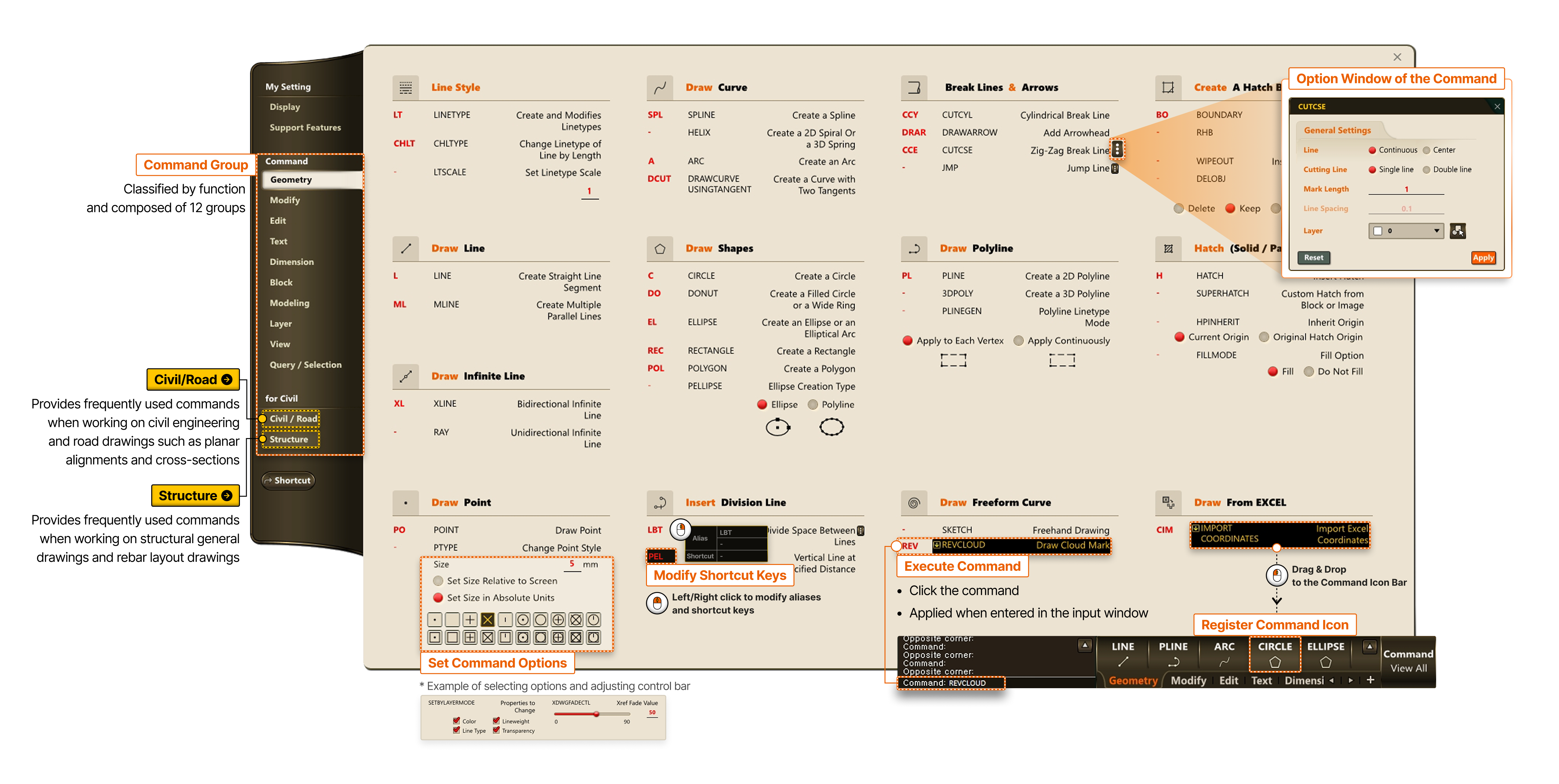
- Civil/Road
- Structure
-
- Command Group
- Classified by function and composed of 12 groups
- Option Window of the Command
- Set Command Options
- * Example of selecting options and adjusting control bar
- Modify Shortcut Keys
- Left/Right click to modify aliases and shortcut keys
- Execute Command
- Click the command
- Applied when entered in the Command Input Window
- Register Command Icon
- Drag & Drop to the Command Icon Bar