TEXTBOX
- Automatically creates a shape (box, circle, polygon, etc.) around the selected text to highlight it or add a background.

1. Basic Usage Demo Video: Creating a Text Border
Section titled “1. Basic Usage Demo Video: Creating a Text Border”1) Run the “TEXTBOX” command.
2) Enter “S” and set the desired options in the TEXTBOX dialog box.
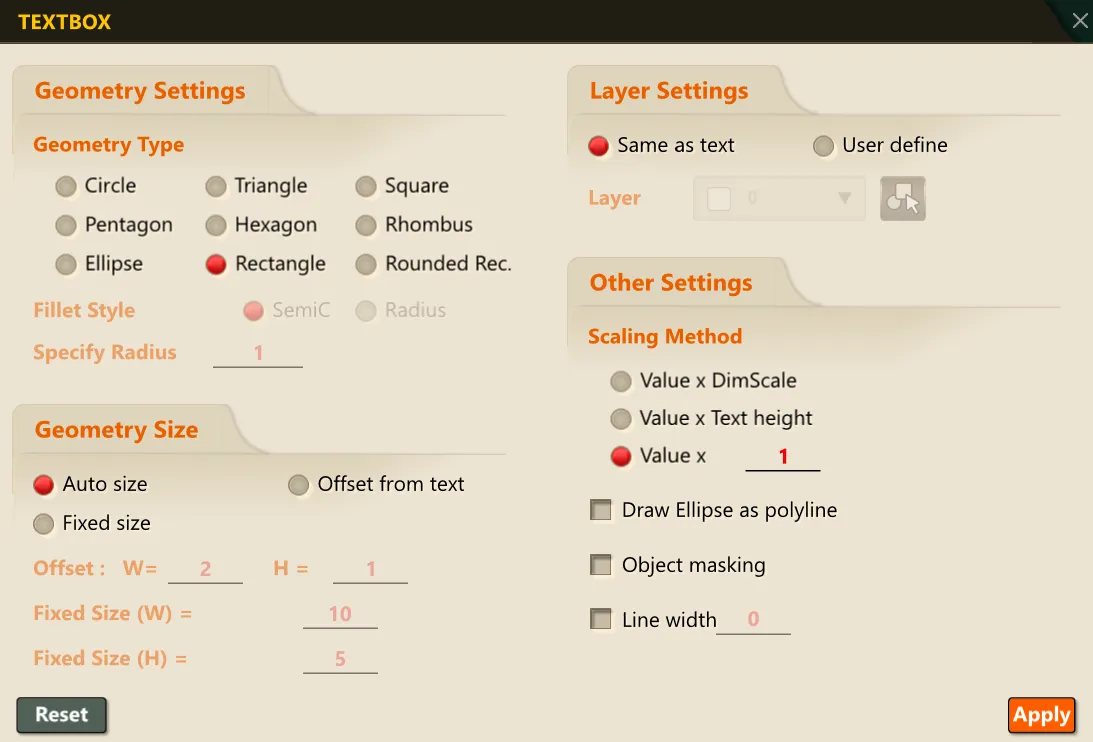
3) Click OK, then select the text object to convert.
4) Press ENTER or the SPACE BAR.
5) A shape in the configured form is created around the selected text.
