Execute commands simply by setting aliases or shortcut keys for each command
How to use
- Method 1
- Command Icon Bar > Command View All > Shortcut
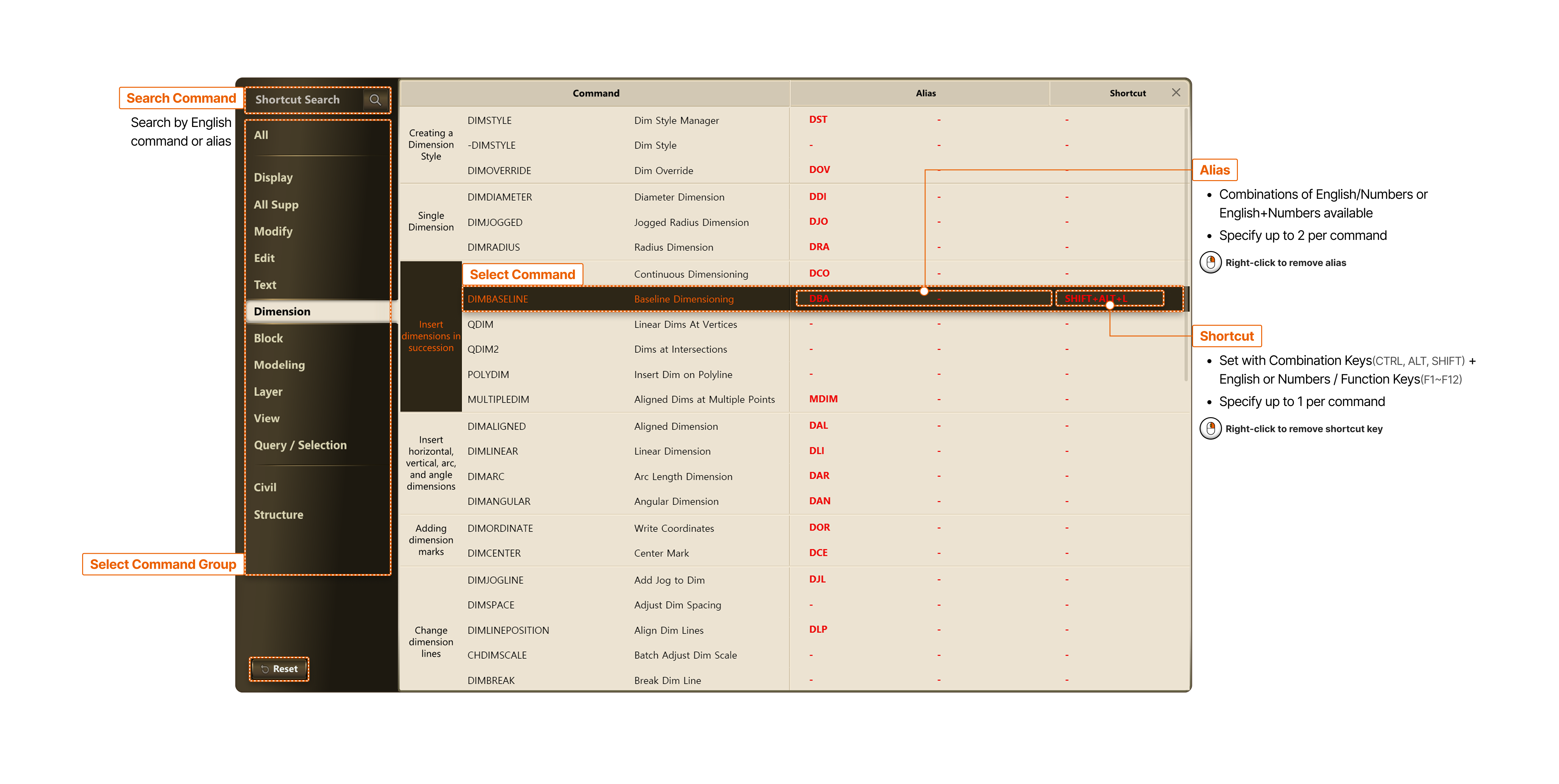
- Search Command
- Search by English command or alias
- Select Command Group
- Select Command
- Alias
- Combinations of English/Numbers or English+Numbers available
- Specify up to 2 per command
- Right-click to remove alias
- Shortcut
- Set with Combination Keys (CTRL, ALT, SHIFT) + English or Numbers / Function Keys (F1~F12)
- Specify up to 1 per command
- Right-click to remove shortcut key