IMPORTCOORDINATES
- Reads coordinate values from Excel and draws objects.
1. Draw Objects by Reading Coordinate Values from Excel Demo Video
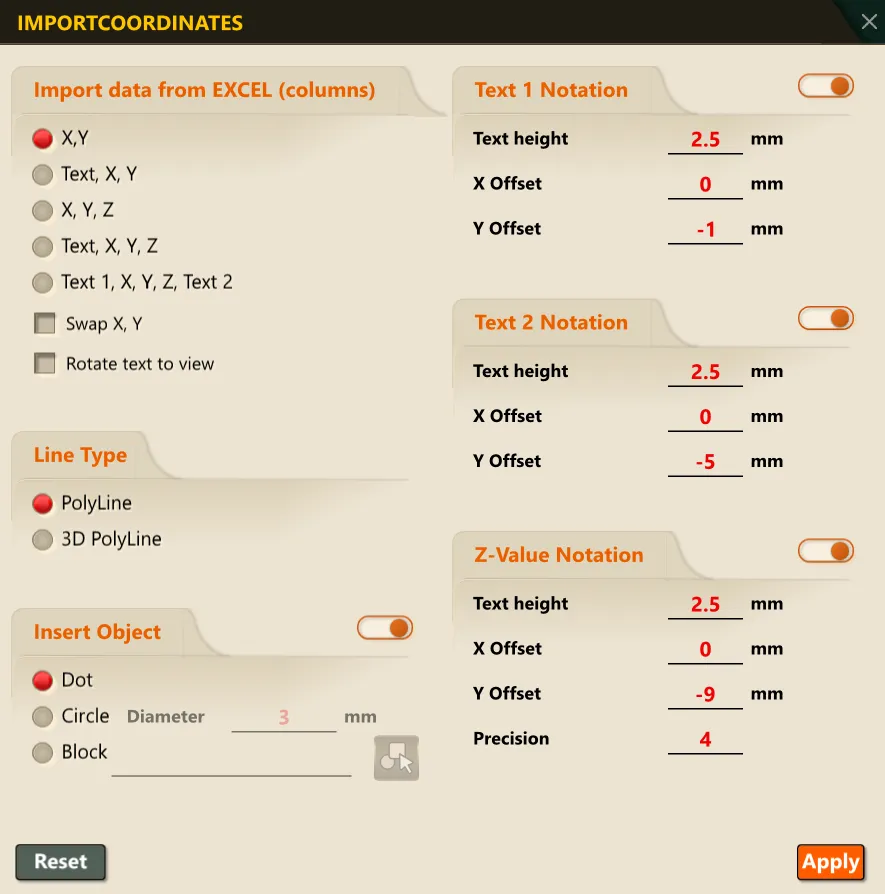
Section titled “1. Draw Objects by Reading Coordinate Values from Excel Demo Video”- Running the command opens the command options popup window.
- Clicking the “OK” button in the popup window saves the options and activates Excel’s range selection feature.
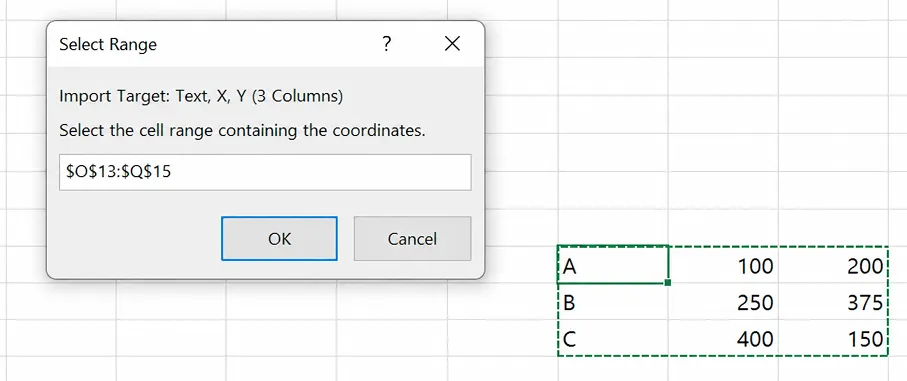
- Select the data matching the target to import from Excel, then click OK to insert objects according to the settings.
Option Descriptions
- You can set the data format by configuring the options under “Import Target.”
- You can configure the line object that connects the coordinates by setting the Coordinate Connection Line option.
- You can set the Vertex Object Insertion item to insert point, circle, or block objects at the vertices corresponding to the coordinates, and turn this ON/OFF.