Provides various blocks commonly used in the construction sector, classified by category
How to use
- Method 1
- Command Input Window > Command : BLIBRARY
- Method 2
-
Command
View All > Block >
 Import
Blocks > Block Library
Import
Blocks > Block Library
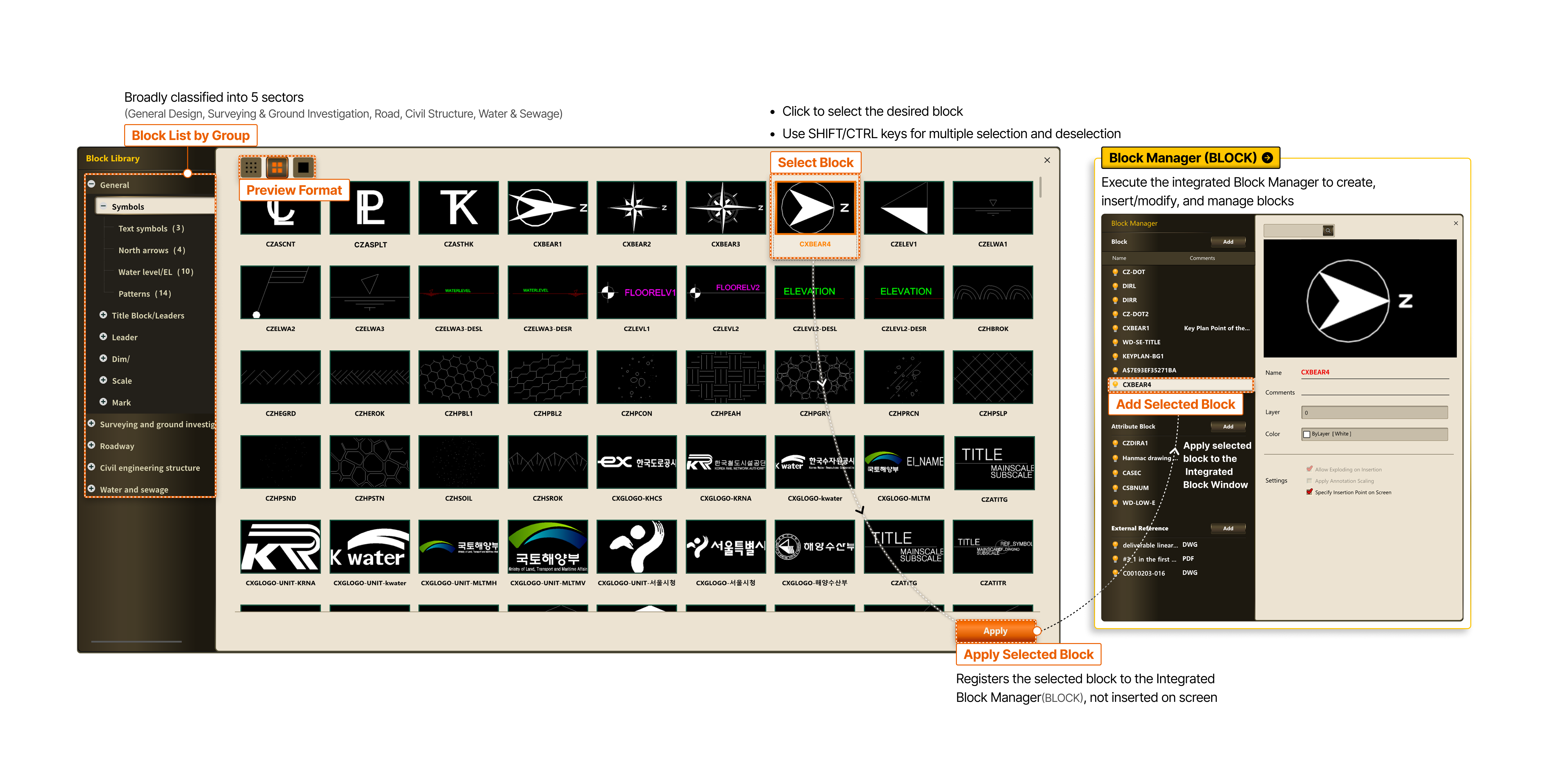
- Block Manager (BLOCK) Execute the integrated block window to create, insert/modify, and manage blocks
-
- Block LIST by Group
- Broadly classified into 5 sectors (General Design, Surveying & Ground Investigation, Road, Civil Structure, Water & Sewage)
- Select Block
- Click to select the desired block
- Use SHIFT/CTRL keys for multiple selection and deselection
- Preview Selected Block
- Apply Selected Block
- Registers the selected block to the Integrated Block Window (BLOCK), not inserted on screen