COORDINATESEXPORT
- Extracts the coordinates of objects in the drawing and exports them to an Excel file, or displays the coordinate information as text on the drawing.

1. Exporting Coordinates Demo Video
Section titled “1. Exporting Coordinates Demo Video”1) Type “COORDINATESEXPORT” in the Command Input Window.
2) In the settings window that appears, select the desired option.
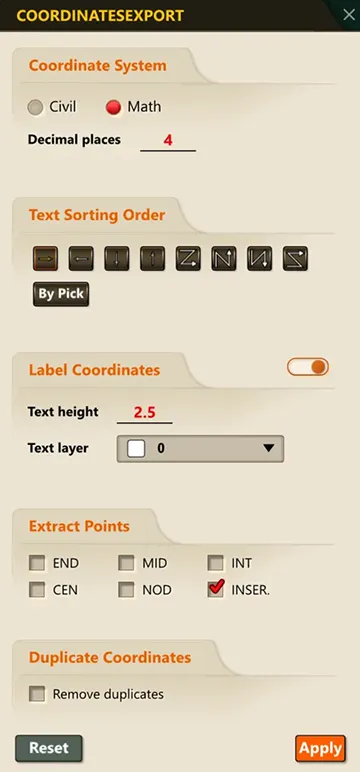
3) Select the object to extract coordinates from.
4) The coordinates are displayed on the drawing and saved to an Excel file.
