TEXTANDPOINT
- A command that automatically creates a text and point pair in the drawing.

1. Creating Text and a Point Demo Video
Section titled “1. Creating Text and a Point Demo Video”1) Type “TEXTANDPOINT” in the Command Input Window.
2) In the dialog box, set the required items.
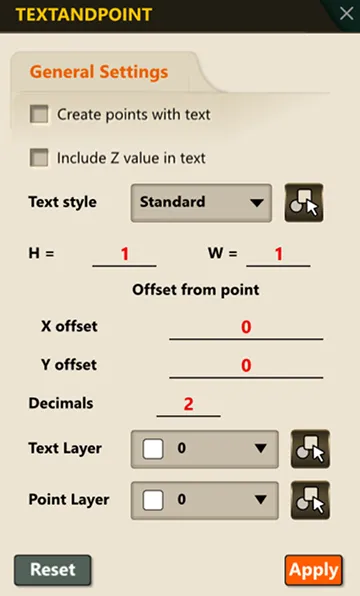
3) Click the coordinate location on screen.
4) A point and text showing the corresponding coordinate or elevation (EL) value are simultaneously created at the clicked point.