INSERTOBJ
- Inserts an object (OLE object) created in an external application into the current drawing.

1. Insert an External Object Demo Video
Section titled “1. Insert an External Object Demo Video”1) Run the “INSERTOBJ” command in the Command Input Window.
2) Select the desired option in the Insert Object dialog box.
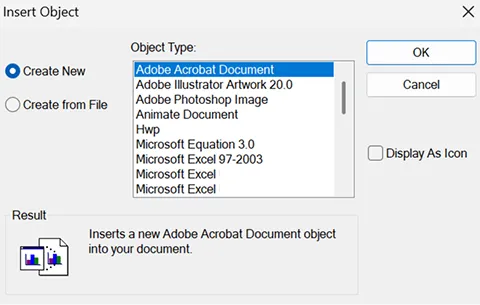
3) Click OK to insert the object into the drawing.
Note: Double-clicking the inserted object lets you edit it in its original application, and any changes are
reflected in the drawing.