MIRROR3D
- Mirrors the selected object in 3D about a specified mirror plane.

1. Mirroring an Object in 3D Demo Video
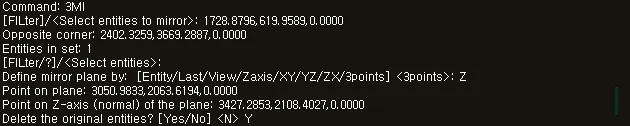
Section titled “1. Mirroring an Object in 3D Demo Video”1) Run the “MIRROR3D” or “3MI” command.
2) Select the objects to mirror (3D solids, surfaces, 3D polylines, etc.).
3) Press ENTER to complete the selection.
4) Specify the mirror plane to use as the reference.
- Specify the plane using three points (3 points)
- Or select one of the X, Y, or Z planes
5) Select whether to keep the original object after mirroring.
- Yes → The original object is deleted, leaving only the mirrored object
- No → Keep the original object + create a mirrored copy
6) Press the ENTER key or the Space bar.
7) The selected object is mirrored in 3D about the specified mirror plane.