Select drawing files by folder or individually to configure options and batch print
How to use
- Method 1
- Kkureomi > Top Left > Multi Plot
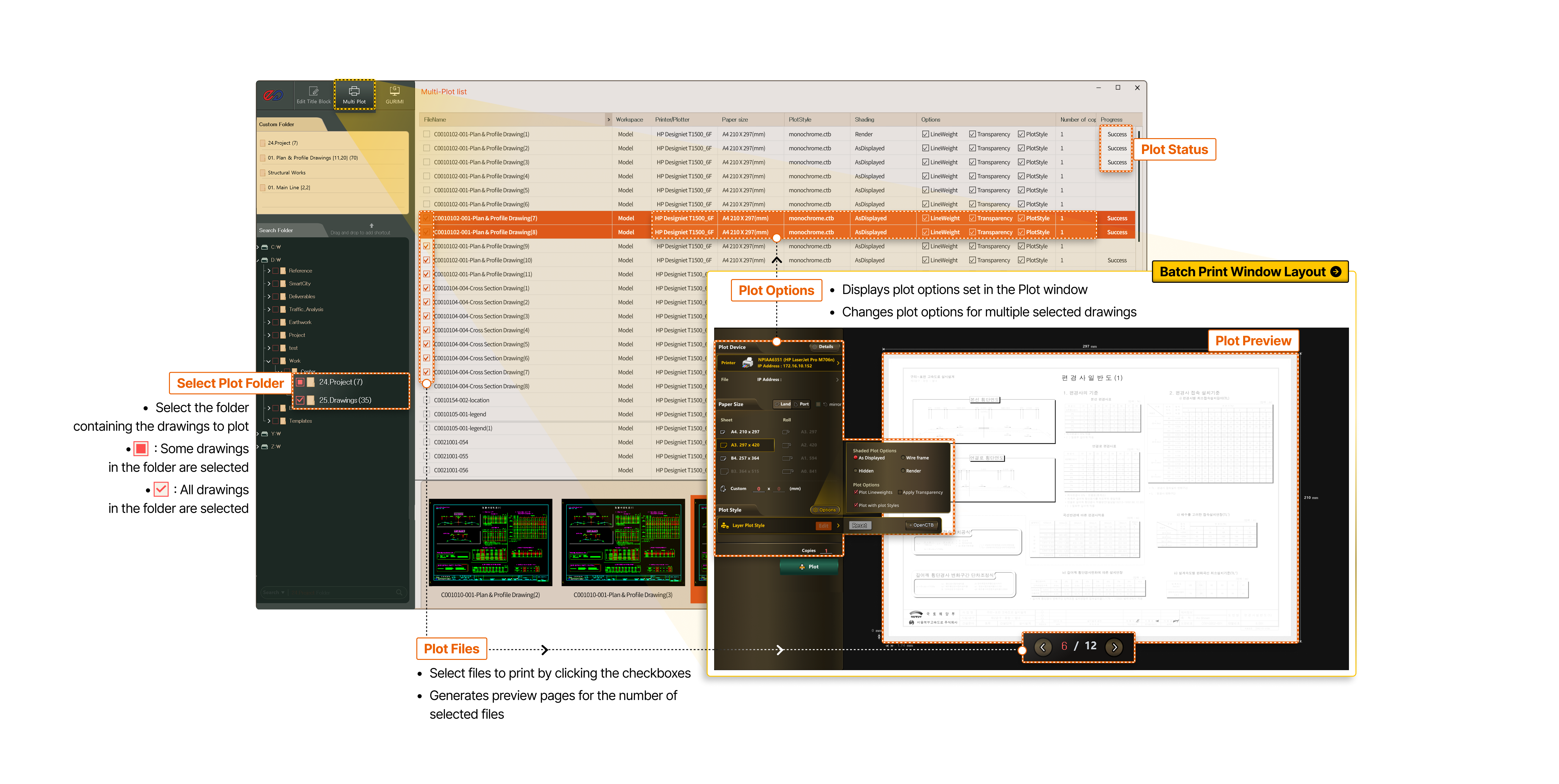
- Batch Print Window Layout
- Plot Options
- Displays plot options set in the Plot window
- Changes plot options for multiple selected drawings
- Plot Preview
-
- Select Plot Folder
- (■) Some drawings in the folder are selected
- (✓) All drawings in the folder are selected
- Plot Status
- Plot Files
- Select files to print by clicking the checkboxes
- Generates preview pages for the number of selected files