EG-BIM Software Login and Logout
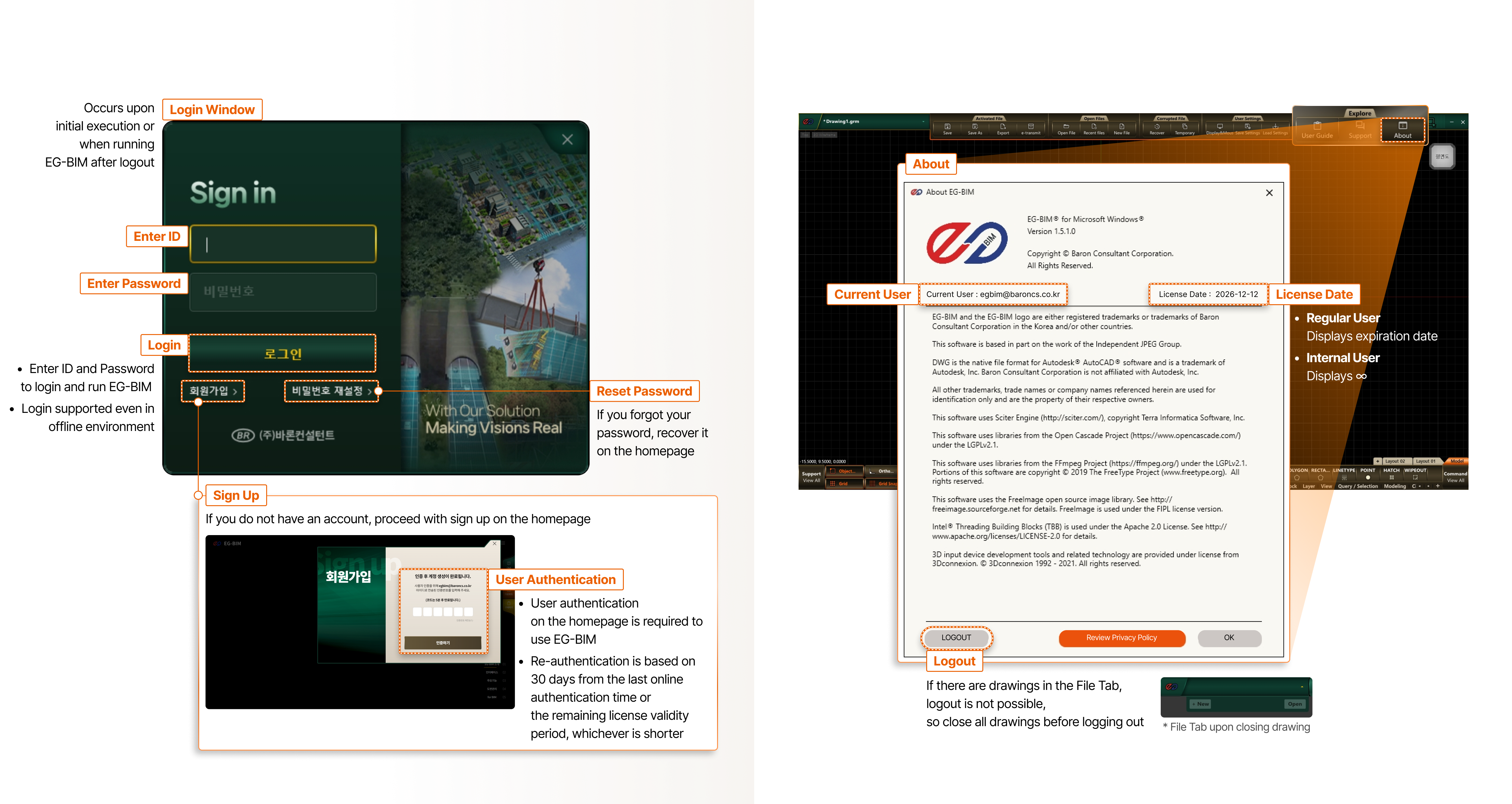
- Login Window
- Occurs upon initial execution or when running EG-BIM after logout
- Enter ID
- Enter Password
- Login
- Enter ID and Password to login and run EG-BIM
- Login supported even in offline environment
- Sign Up
- If you do not have an account, proceed with sign up on the homepage
- User Authentication
- User authentication on the homepage is required to use EG-BIM
- Re-authentication is based on 30 days from the last online authentication time or the remaining license validity period, whichever is shorter
- Reset Password
- If you forgot your password, recover it on the homepage
- About
- Current User
- License Date
- Regular User : Displays expiration date
- Internal User : Displays ∞
- Logout
- If there are drawings in the File Tab, logout is not possible, so close all drawings before logging out * File Tab upon closing drawing